TL;DR
What do I need to do before my Local Services Ads account moves to Performance Max?
Export your historical lead data before migration day — portions of your LSA account history don't transfer and disappear permanently. Then verify your budget settings, service area targeting, Google Verified badge status, and conversion tracking inside Google Ads before the migration clock runs out.
On migration day, portions of your LSA account history disappear — and Google won’t send you a warning in advance.
Google started moving Local Services Ads into Performance Max in August 2026. According to Search Engine Journal, the first wave of U.S. advertisers is already mid-migration, with the rest rolling through in phases into 2027. The ads keep running — same placements on Google Search and Maps, same pay-per-lead model — but the management layer moves entirely into Google Ads.
That sounds fine until you understand what “management layer” actually means: your budgets, your bidding, your historical reporting, and the day-to-day controls you’ve built up over however long you’ve been running LSAs. Some settings carry over automatically. Others retire. And SEJ confirms that at least one portion of account history — including cost-per-lead reporting history — doesn’t transfer and isn’t archived automatically. It’s gone.
Step 1: Export Your Historical Lead Data — Before Anything Else
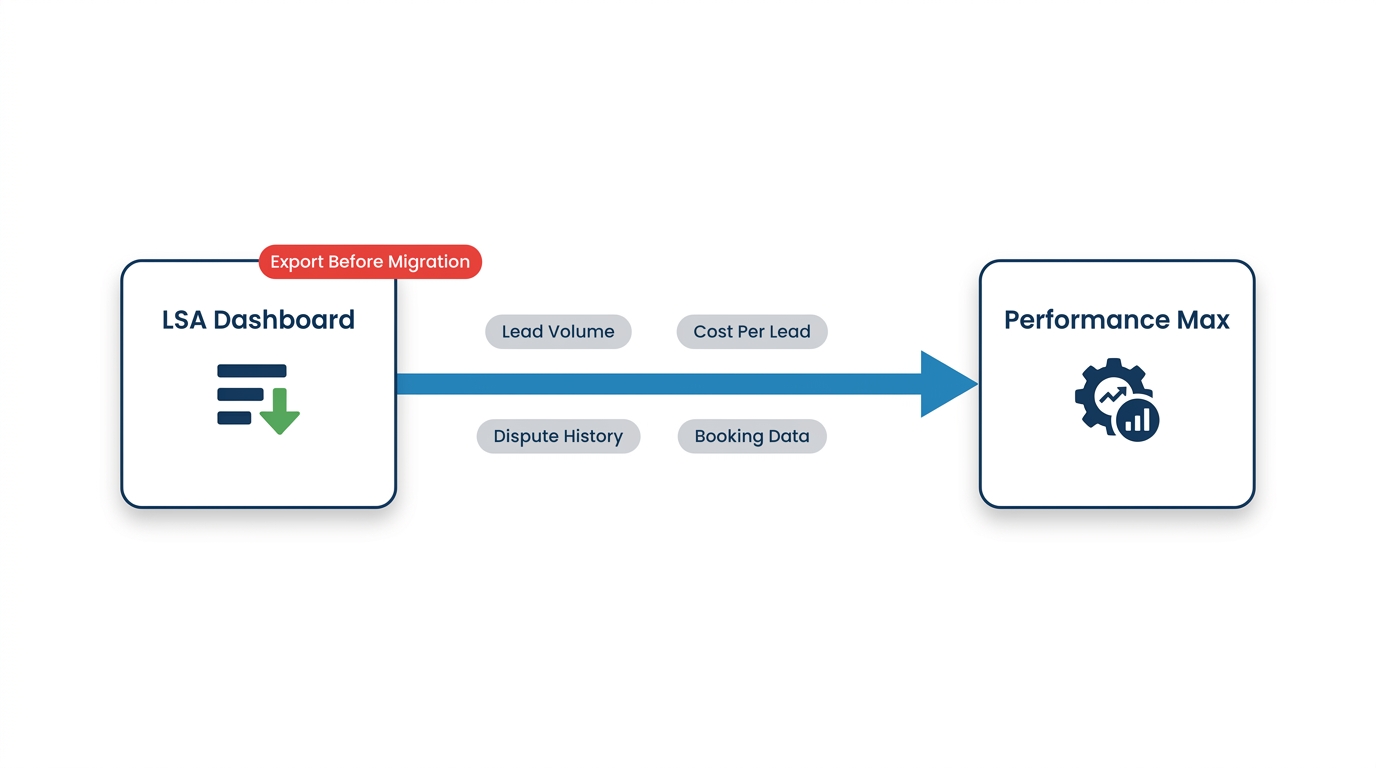
This is the one that bites people. Pull your lead reports now. Download everything: lead volume by week, cost per lead by service category, dispute history, and any booking data tied to specific job types. If you’ve been running LSAs for roofing and HVAC as separate service profiles, export each one individually.
This data is your baseline. When your cost per lead shifts after migration — and with bidding automating inside Performance Max, it will shift — you need something to compare against. Without it, you’re flying blind from day one.
The hard deadline is migration day. Miss the export window and that history is gone. Everything else in this checklist can be done in sequence over the following weeks. This step cannot.
Step 2: Document Every Budget and Bidding Setting
Performance Max uses automated bidding. Your current LSA setup probably has a weekly budget cap and a max-per-lead target you set manually. Those numbers don’t always survive migration intact.
Write down your current weekly budget, your average cost per lead by service type, and any spending limits you’ve set. Screenshot the settings screen today.
When the migration happens, verify those numbers against what Performance Max inherited. Google’s updated experimentation tools — including a Performance Planner that can now push one-click budget changes directly to live campaigns — make it easy to accidentally apply a forecast that wasn’t sized for your account. SEJ’s coverage of these tools specifically notes that the update “puts more weight on reviewing the forecast and proposed changes before applying them.” Review every proposed change before you click apply.
Step 3: Verify Your Service Area Targeting — This Is Where SGV Contractors Get Hurt
Performance Max’s default behavior is to expand reach. Without explicit location settings confirmed from day one, the algorithm will serve your ads further than you intend — and you’ll pay per lead for calls you can’t dispatch.
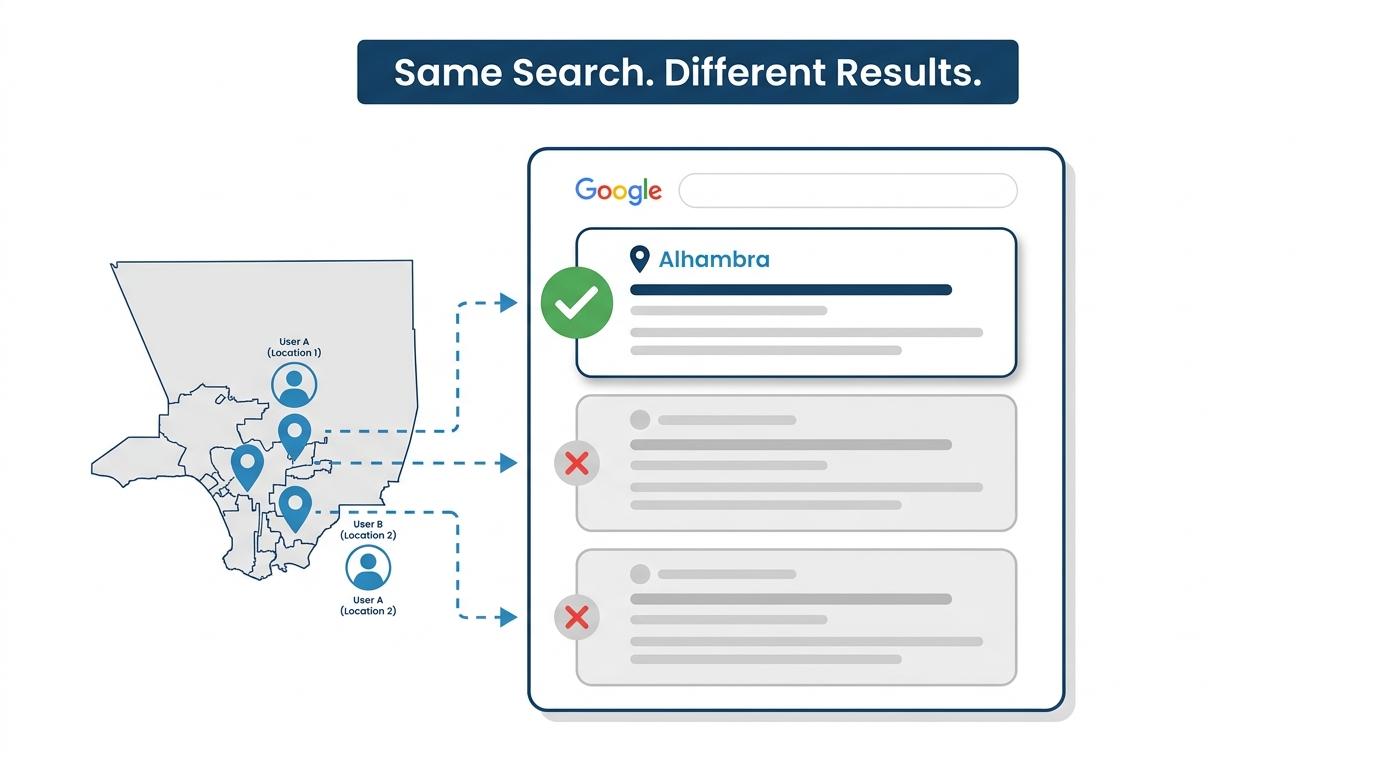
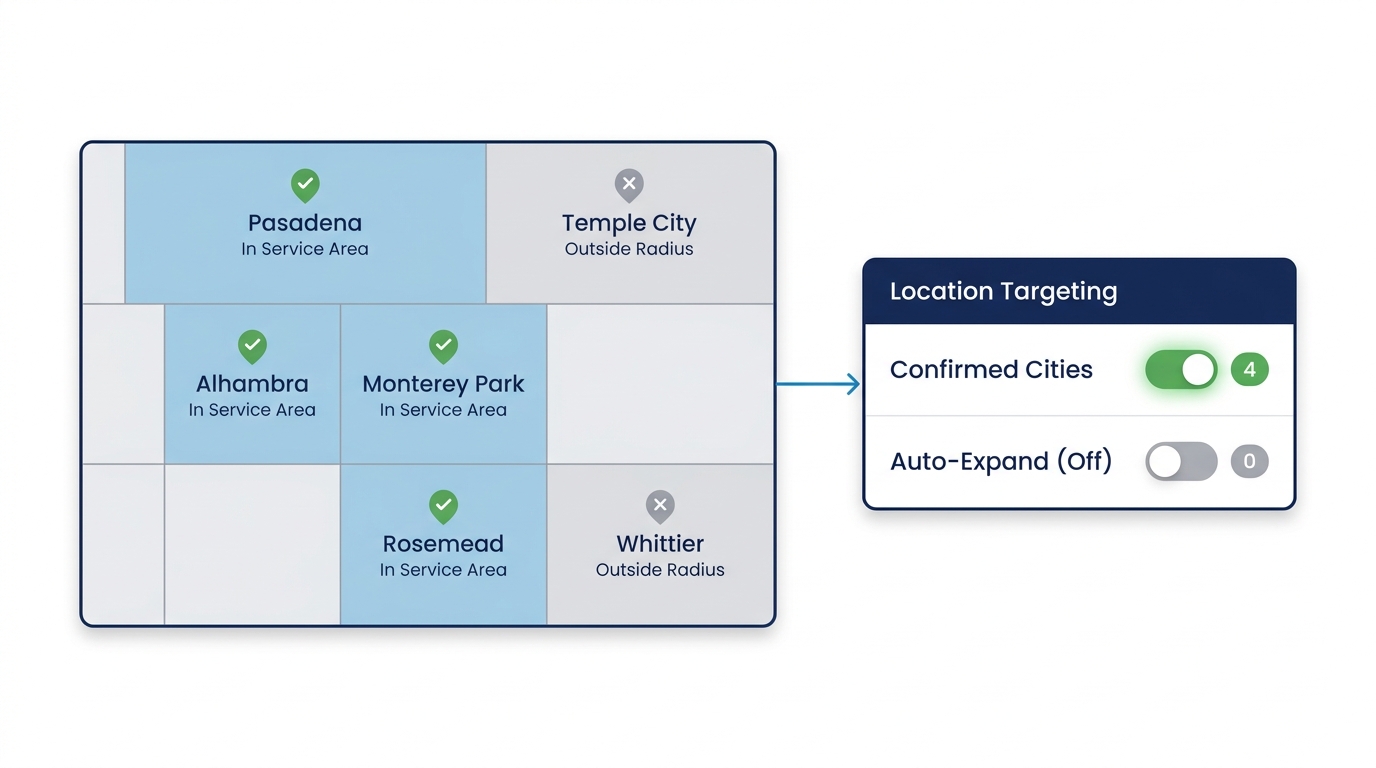
This matters more in the San Gabriel Valley than in a single dense urban market because the SGV is a patchwork of distinct incorporated cities — Alhambra, Monterey Park, Rosemead, Temple City, Whittier, Pico Rivera, Pasadena — each with its own competitive LSA density and its own zip codes. A roofing crew that works Pasadena and Arcadia is targeting a different set of zip codes, a different income bracket, and a different average job size than a plumber covering Rosemead and San Gabriel. Bleed your targeting into the wrong cities and you’re not just wasting budget — you’re funding leads your dispatcher will reject.
Google’s updated AI Max experiments now support brand and location controls, which is a genuine improvement. But “supports” doesn’t mean “automatically preserves on migration.” Before your migration date, export a screenshot of your current service area settings from the LSA dashboard. Then, after migration, manually re-enter those boundaries in Google Ads location targeting — do not assume they carried over. Confirm every city and zip code matches your actual dispatch radius before the campaign starts spending.
Step 4: Check Your Google Verified Badge Status
The Google Verified badge — the white check mark in a blue circle on your LSA listing — is tied to your license verification and background check status, not to your campaign settings. It doesn’t go away because of the migration. But your badge status needs to be current.
If your verification lapsed, or if you added a new service category that hasn’t been verified yet, migration is a natural moment for Google to surface that gap. Pull up your LSA profile and confirm every service category shows as verified before your migration date. A badge that disappears mid-migration is a conversion killer, and it won’t be obvious from inside Google Ads what happened.
Step 5: Set Up Conversion Tracking Inside Google Ads Before Day One
This is where Performance Max diverges most sharply from the old LSA interface. LSAs tracked leads natively — a call came in, it showed up as a lead, you disputed or confirmed it.
Performance Max measures conversions. That means you need conversion actions defined inside Google Ads that correspond to what you actually care about: phone calls from the ad, form submissions, booked appointments. If those aren’t set up before migration, Performance Max’s automated bidding will optimize toward whatever it can measure — which, at launch, may be nothing useful.
SEJ’s reporting on the migration specifically flags measurement setup — including where your cost per lead could shift once bidding automates inside PMax — as one of the core things the migration audit must address. If you use a call-tracking platform, connect it before migration day, not after. This is the piece most contractors skip and then wonder why their cost per lead doubled in month one.
Our Local Service Ads management service includes pre-migration conversion setup as part of the configuration — it’s not an add-on, because without it the account launches without usable signals.
Step 6: Plan for a Learning Period — and Don’t Panic During It
Automated bidding inside Performance Max needs time to calibrate. Your cost per lead will likely move in the first weeks post-migration. That’s not a sign something broke. It’s the algorithm learning your account from scratch.
The mistake is panicking early and making large budget changes before the system has enough data. Small tweaks are fine. Slashing budget or changing bidding targets repeatedly resets the calibration cycle and extends the learning period. Google’s new multi-campaign experimentation tools — rolling out in September — are designed specifically to let you test budget and ROI target changes across campaigns before applying them broadly. Use them. Make one change at a time, compare against the baseline you exported in Step 1, and give the system room to learn.
The contractors who stay patient in the first month come out with a machine that knows their market. The ones who keep adjusting come out with an account that never learned anything.
What to Do Monday Morning
Open your LSA dashboard today and download every report available. That’s it. That’s the one action that protects you from the most irreversible consequence of this change.
Everything else — budget verification, targeting confirmation, conversion tracking setup — can be done in a structured sequence over the next few weeks. But the historical data export has a hard deadline: migration day. Miss it and it’s gone.
The ads keep running. The leads keep coming. Whether you can tell which ones are worth anything is entirely up to what you do before the migration clock runs out.