

TL;DR
Why does my Google Business Profile keep changing on its own?
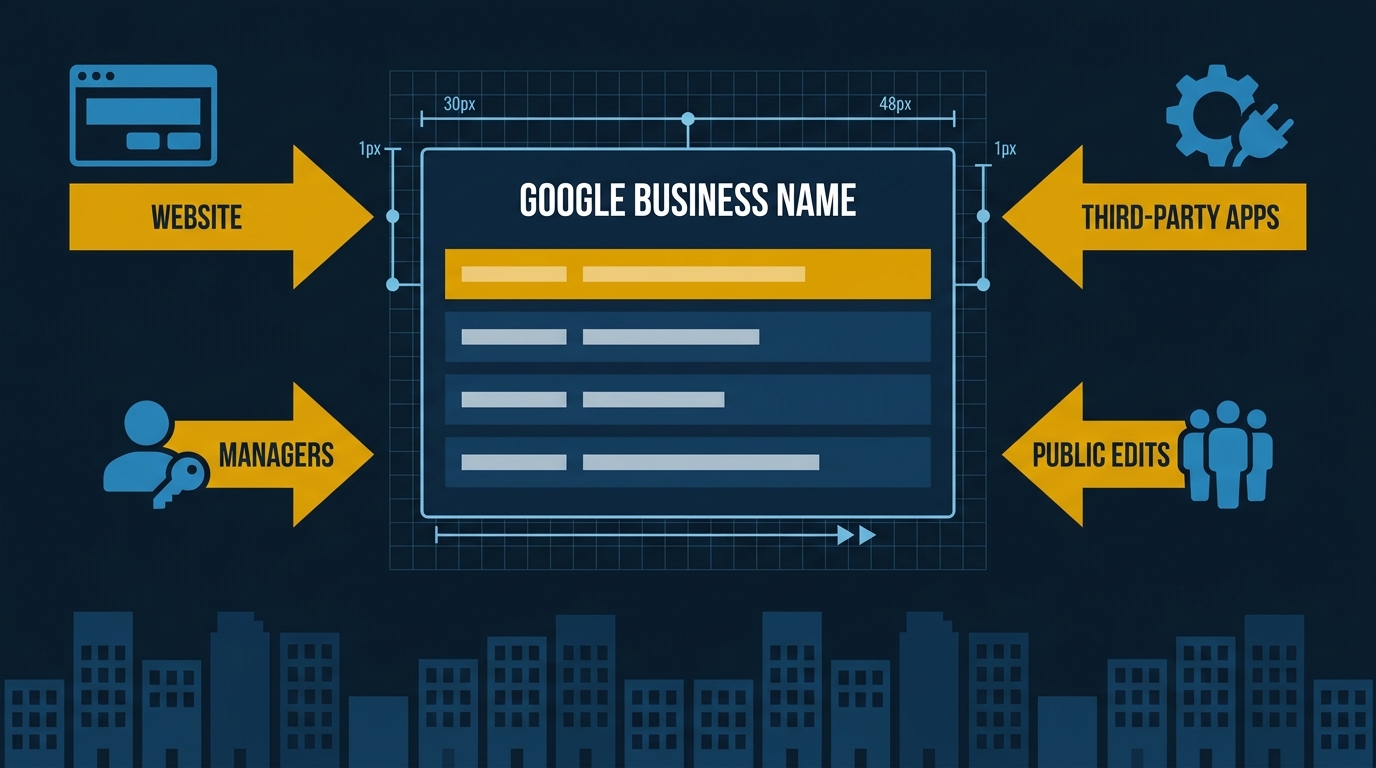
Google allows four sources to edit your listing: your website, third-party apps, other managers, and public users. Any one of them can overwrite your hours, name, or services without warning. Audit your app permissions, manager list, and public-facing listing weekly to catch changes before they cost you calls.
A roofing company in Santa Monica had the wrong hours live on their Google Business Profile for three weeks. Not because someone hacked them. Not because they forgot to update it. A third-party app with API access to their account pushed stale data, Google accepted the change, the listing updated. Nobody told them. Weekend calls went unanswered until a customer complained.
Google Allows Four Different Sources to Edit Your Listing
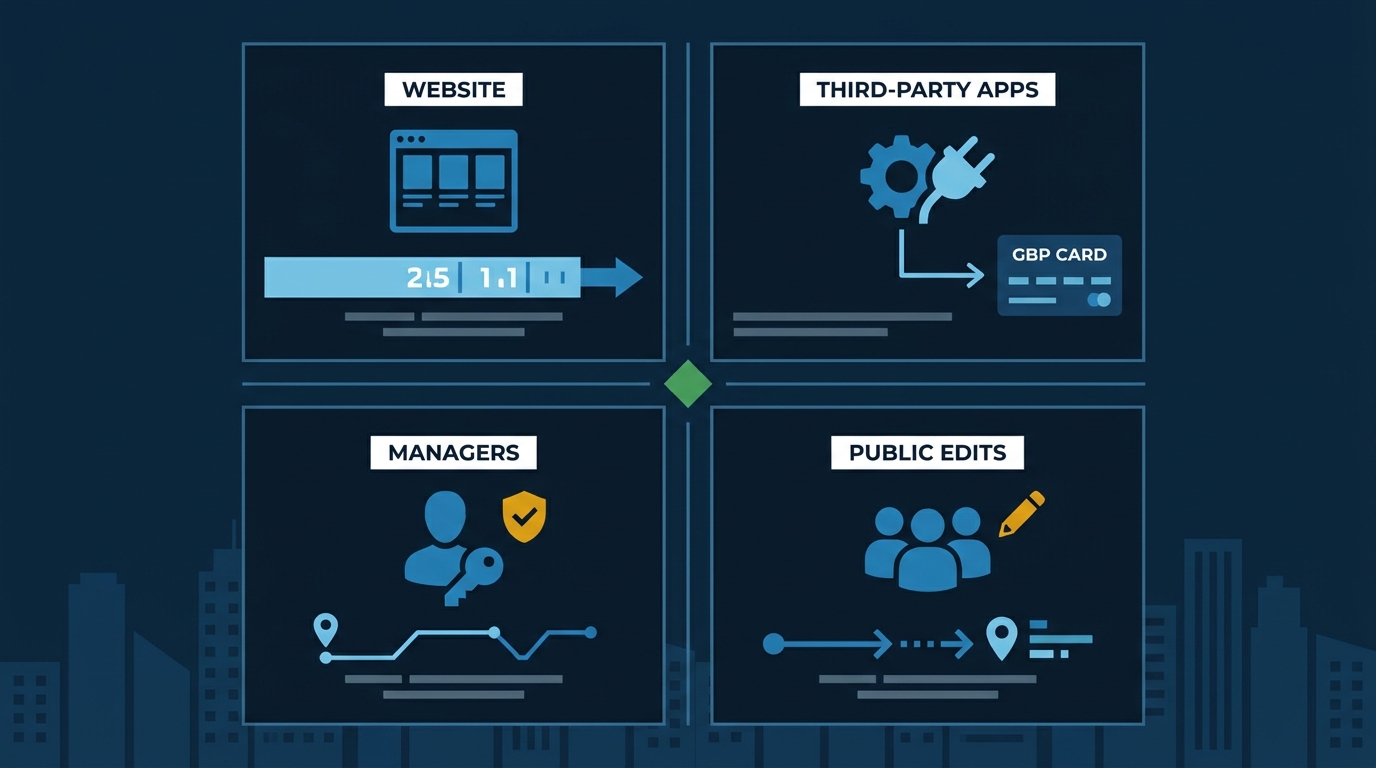
According to Sterling Sky’s breakdown of how GBP edits work, changes to your Google Business Profile typically come from one of four places:
- Your own website or social profiles
- Third-party apps with API access to your account
- Other owners or managers on the listing
- Public users suggesting edits through Maps
Each one can overwrite what you’ve carefully set up — sometimes without any notification. Here’s what each one actually looks like in practice.
1. Your Website and Social Profiles
Google crawls your site and your social pages. If your Facebook page says you’re open Saturdays and your GBP says you’re not, Google may “helpfully” update your profile to match what it found. Same with services — Sterling Sky notes that Google has been aggressively pulling services from business websites and adding them to GBP listings automatically.
The fix: make sure your hours, name, and services are identical everywhere — your website, Facebook, Yelp, LinkedIn. If Google adds a service you don’t want, remove it and check again in 30 days.
2. Third-Party Apps
This is the one that catches people off guard. Any app you’ve ever connected to your Google account — scheduling software, a CRM, a marketing platform — may have permission to push data directly to your GBP via Google’s API. If that app has outdated information, it can overwrite what you’ve set.
Go to your Google account’s security settings and look at which apps have access. Revoke anything you don’t recognize or no longer actively use. Sterling Sky provides a direct tool link for checking this — it’s worth running right now. That Santa Monica roofer’s three-week gap started with a single unchecked app permission. Tuesday’s audit step below is the one that would have caught it.
3. Other Owners and Managers
If you’ve ever added an employee, a previous marketing agency, or a web developer as a manager on your profile, they may still have access. Former agencies are a common culprit — they get removed as your vendor but stay on the listing.
Log into your GBP dashboard, go to Business Profile settings, then Managers. Remove anyone who shouldn’t be there. Keep the list short: you and one backup, maximum.
4. Public User Edits
Anyone with a Google account can suggest an edit to your listing through Maps. If Google’s algorithm decides the suggestion is trustworthy — based on the user’s history, the number of similar suggestions, or conflicting signals it’s picked up — it can go live without your approval.
You won’t always get a notification. The best way to catch these is to check your listing in the Local Finder (search your business name on Google Maps, not the dashboard) at least once a week. The dashboard sometimes lags behind what’s actually showing publicly.
Why This Actually Costs You Jobs
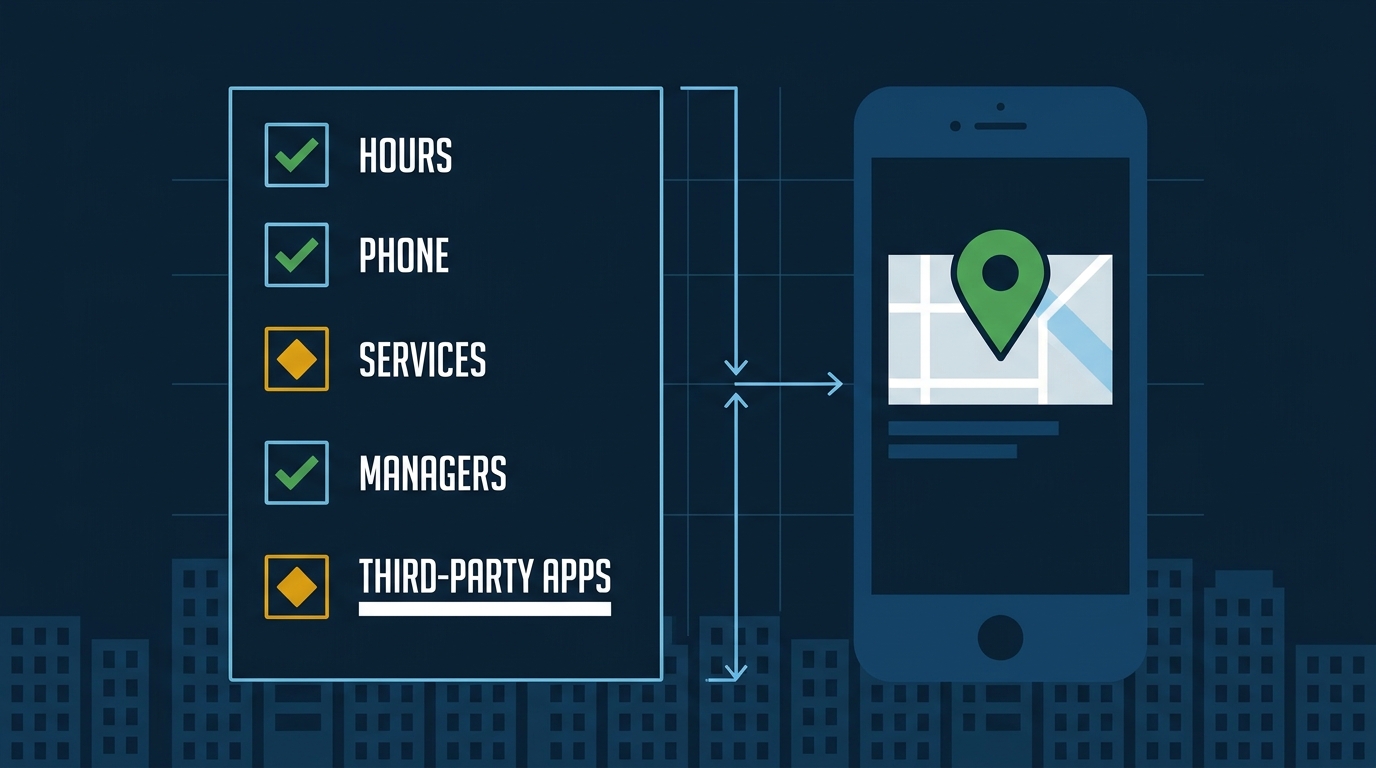
Wrong hours are the most damaging. A customer searching for an HVAC contractor at 8pm on a Friday sees your listing says you’re closed. They call the next guy. You never knew you lost that call.
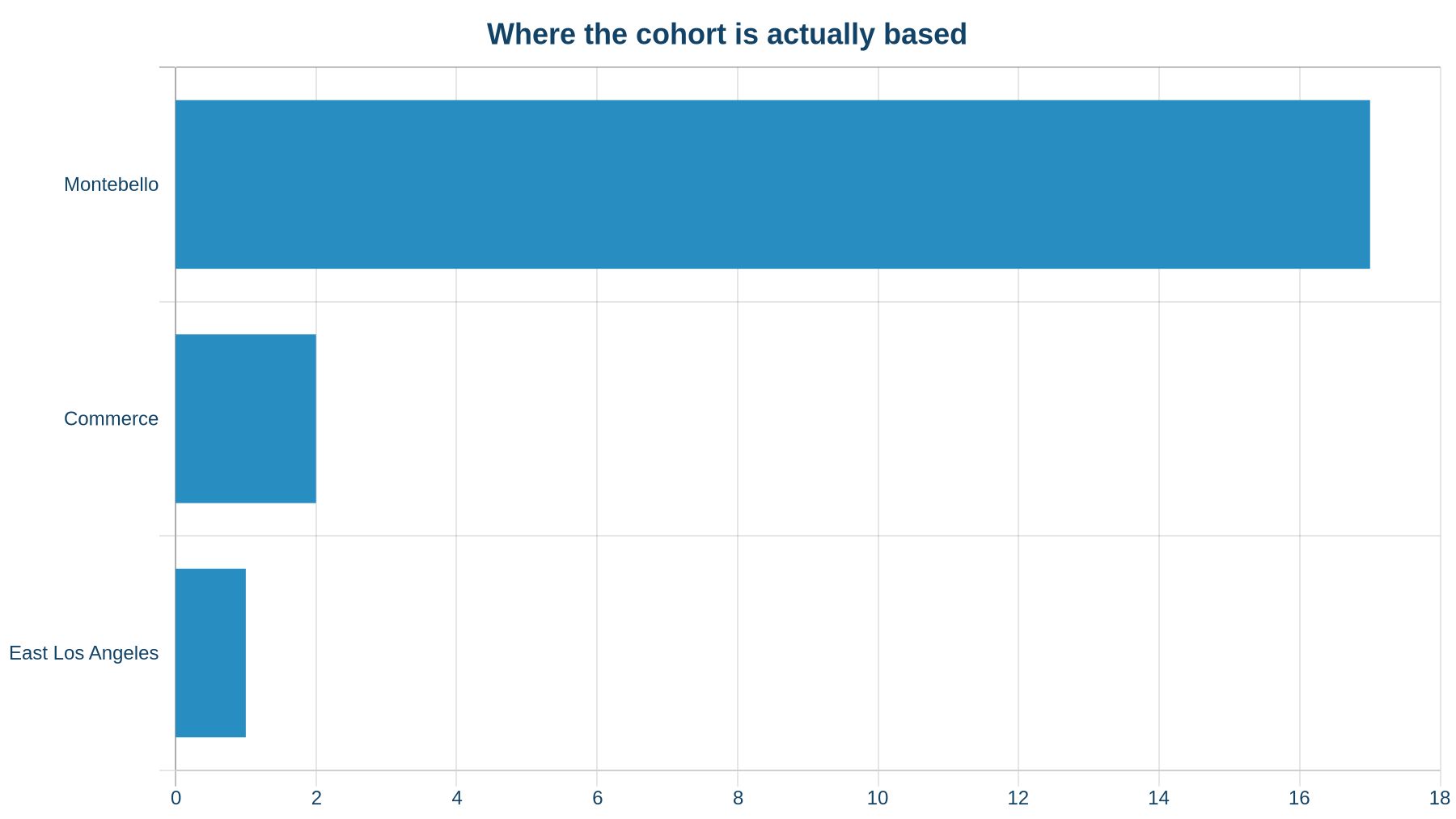
We audited 20 HVAC profiles competing for searches in Montebello — 17 of them physically based in the city, with the remaining two in Commerce and one in East LA. The competitive density is just 0.25 profiles per square kilometre within 5km of Montebello, which means a single bad edit can drop you out of a thin field fast. Of the profiles that Google’s AI skipped when we asked for a best-rated HVAC contractor in Montebello, roughly 13% of the skipped profiles — about 2 of the 16 — were missing hours entirely. That’s a disqualifying signal for Google’s AI recommendation engine, and exactly the kind of gap a bad third-party sync or a public edit can create without the owner ever knowing.
The profiles that did get surfaced by AI had a median of 61 reviews with the most recent coming in just 64 days ago. The ones that got skipped had a median of 8 reviews, with the newest 163 days back. Profile A — one of the surfaced profiles — had 121 reviews with its newest 108 days ago. Profile B, which got skipped, had 2 reviews and its newest was 187 days ago.
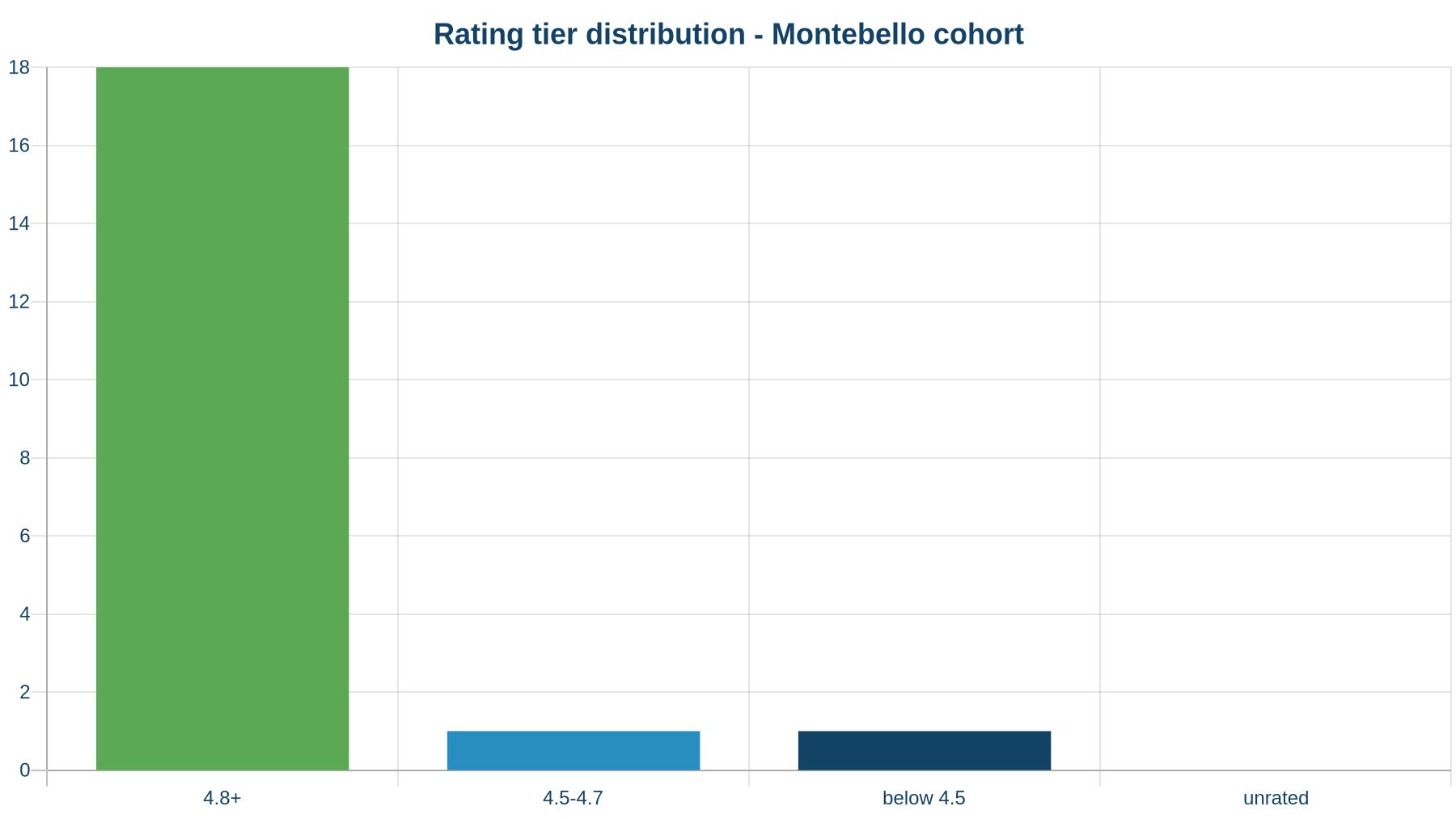
Rating wasn’t the differentiator — 18 of the 20 profiles we looked at sat at 4.8 stars or above. The gap was recency and volume, not stars.
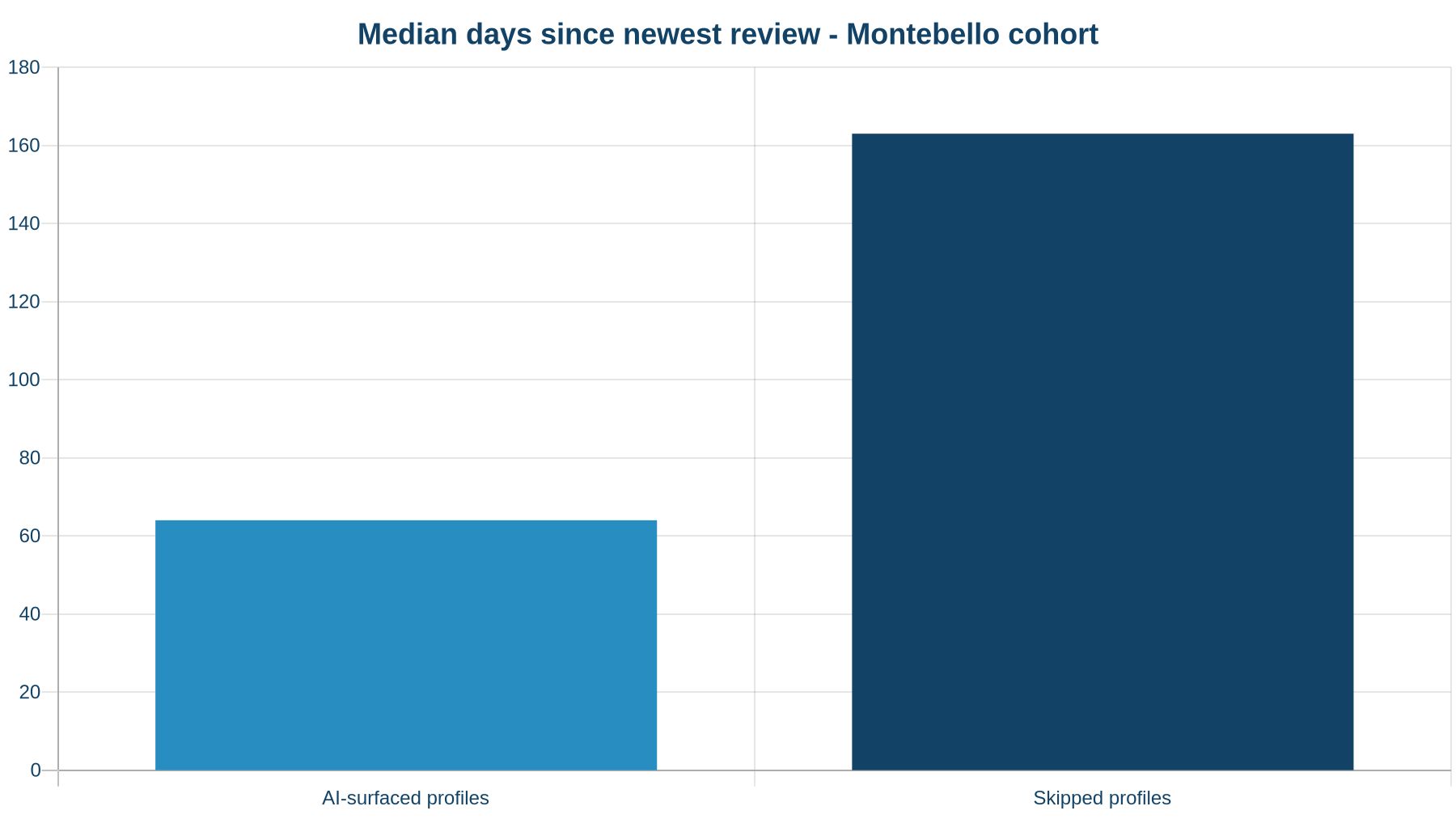
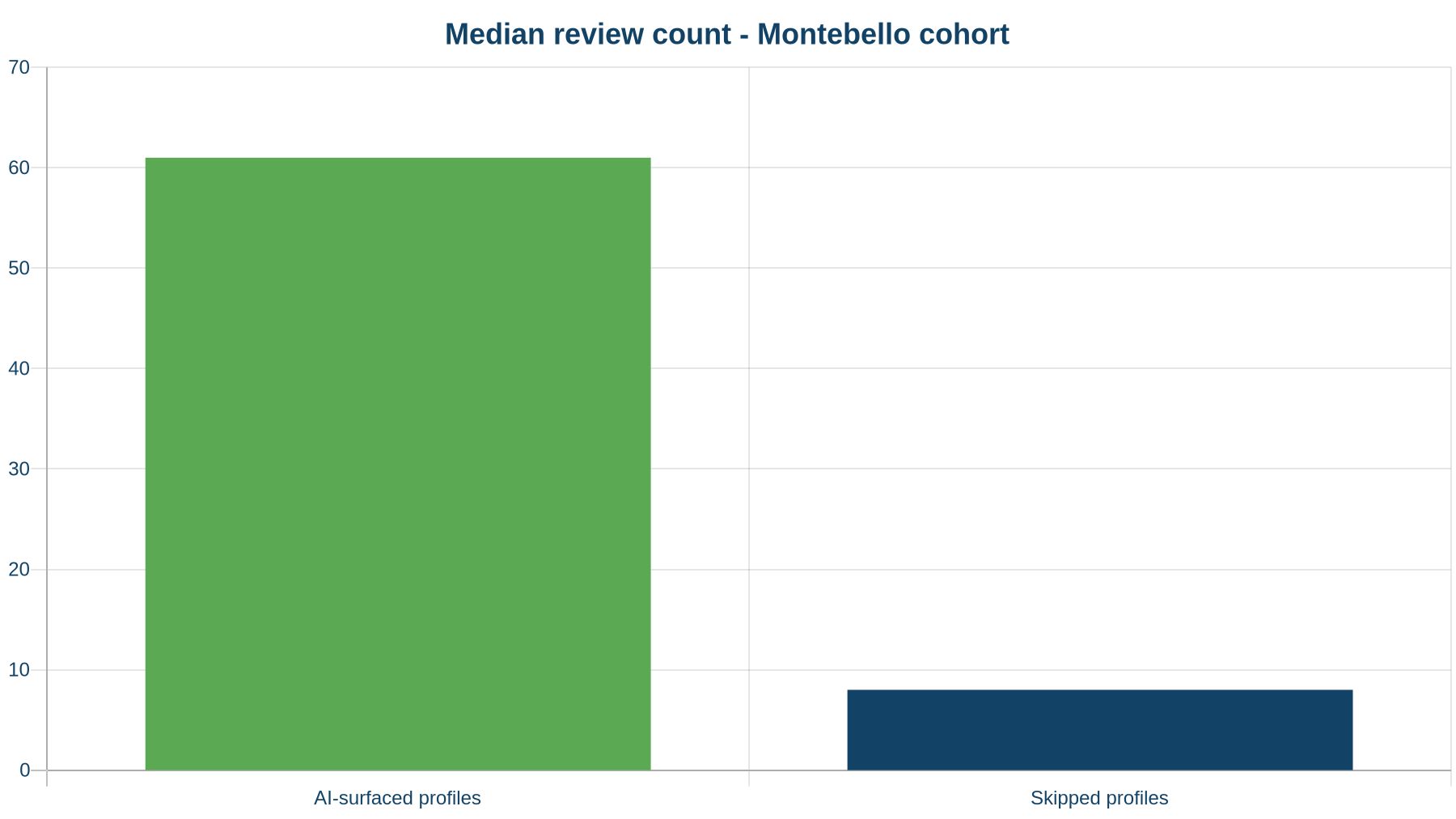
The point isn’t just review count. It’s that a listing with stale or incorrect data — whether from a bad edit or an inactive owner — signals to Google that this business isn’t actively managed. That affects both how often you show up and whether AI tools recommend you at all.
The Default Is “Open to Edits” — Not “Protected”
Google recently gave restaurants the ability to directly disable third-party ordering providers from their GBP dashboard, rather than waiting on each provider to process a removal request. Before this change, providers had five business days to handle opt-out requests — and the burden was entirely on the restaurant to chase them down.
Google’s default is to enable integrations, not restrict them. Third-party ordering providers were enabled by default for restaurants. Third-party apps connected to your account are enabled by default. Public edits are accepted by default.
You have to actively opt out of the things you don’t want. Most business owners treat their GBP like a form they filled out once. Google treats it like a wiki. Those two assumptions cannot coexist — and Google’s assumption wins every time.
What to Do This Week
Monday: Log into your GBP dashboard and check every field — name, address, phone, hours (including holiday hours), categories, and services. Compare it to what’s actually showing in Maps, not just the dashboard.
Tuesday: Go to your Google account security settings and audit which apps have access. Revoke anything you don’t recognize or haven’t used in 90 days.
Wednesday: Go to Business Profile settings → Managers. Remove anyone who shouldn’t be there.
Thursday: Search your business name in Google Maps and look at the public-facing listing. Check if the hours match what you set. Check if any services appear that you didn’t add.
Friday: Set a recurring calendar reminder to do this monthly. It takes 15 minutes. The alternative is finding out three weeks later, the way that Santa Monica roofer did.
If you want a faster read on where your profile stands right now, run it through our free Map Pack Grader — it scores your GBP against the map-pack winners in your city across reviews, rating, photos, and the gaps that are holding you back.
For ongoing protection — someone actively monitoring your listing, responding to reviews, and catching unauthorized edits before they cost you calls — that’s what our Google Business Profile management service covers. It’s active management, every week.
The Santa Monica roofer found out three weeks too late. You don’t have to.