

TL;DR
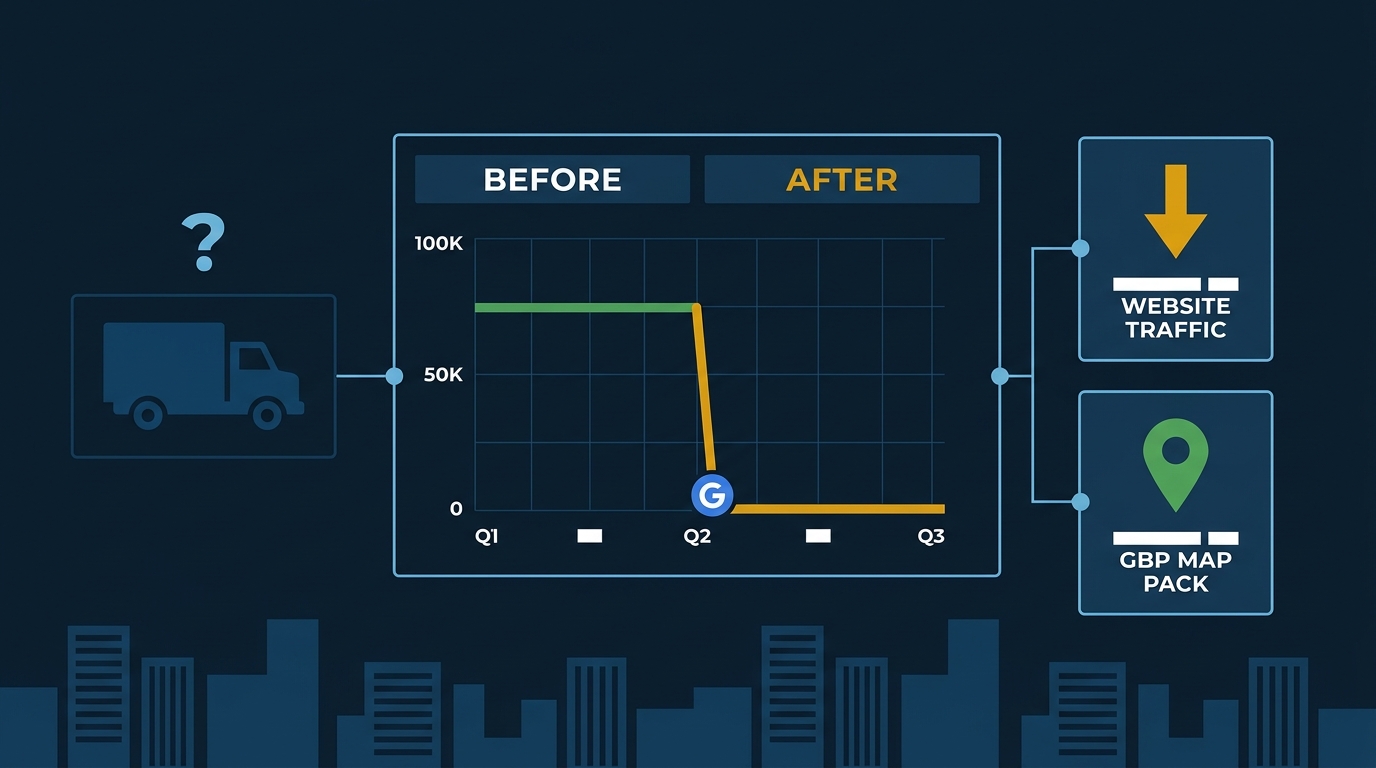
Why did my website traffic drop after a Google update and how do I get my leads back?
A Google core update likely applied an algorithmic suppression filter to your site—often triggered by spammy backlinks or thin content. The fix is a structured audit: isolate the real traffic loss in Search Console, clean your link profile, and strengthen your Google Business Profile, which core updates cannot suppress.
Your phone slowed down. The form submissions dried up. You checked your website and the traffic graph looks like someone pulled the power cord. If that happened in the last 90 days, you’re almost certainly looking at the fallout from Google’s December 2025 core update—or one of the earlier shots that preceded it.
This isn’t a glitch. According to Sterling Sky’s audit work, some local businesses have lost 90% of their organic search traffic from these updates. Not a dip. A cliff. And the businesses getting hit hardest are the ones that ignored earlier warning signs in August and June 2025.
Here’s what’s actually happening, and what you do about it.
First: Confirm You Were Actually Hit
Before you change anything, you need to see the real picture. Most business owners look at their analytics wrong and either panic about traffic that doesn’t matter or miss damage that does.
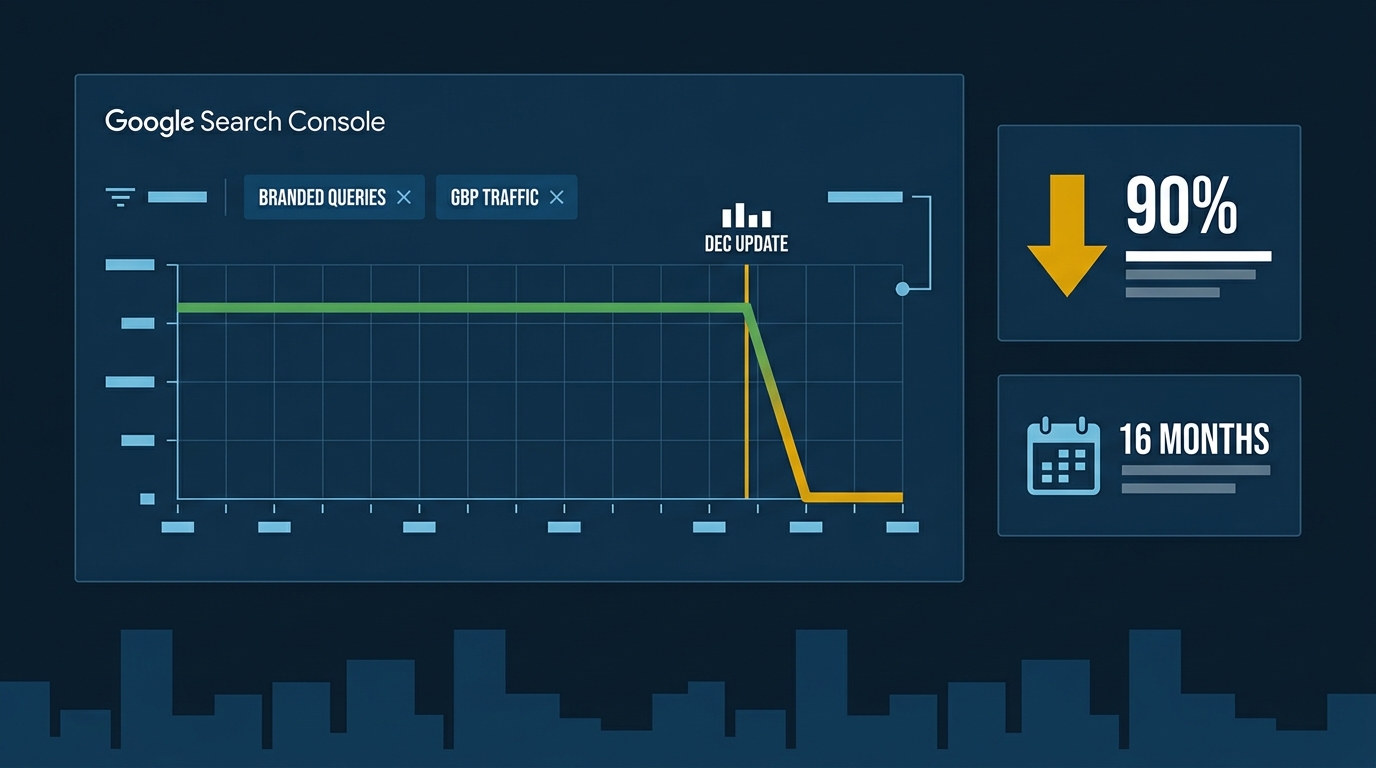
Open Google Search Console. Set the date range to 16 months. Then do two things: filter out your branded search queries (your company name and any variations), and filter out traffic coming directly from your Google Business Profile URL. What’s left is your true organic reach—the people who found you by searching for what you do, not who you are.
Sterling Sky recommends pairing this with the free Chrome extension Advanced GSC Visualizer, which overlays major Google update dates on your traffic graph. When you do this, you’ll usually see the story clearly: a small dip in June or August 2025, ignored, followed by a wipeout in December.
If your traffic fell 30% or more at a specific update date and hasn’t recovered, you’ve been hit.
What Google Actually Did to Your Site
Google applies what’s called a site-wide classifier to penalized domains. Think of it as an automated suppression filter on your entire website—not just a page or two. Unlike a manual penalty, it generates no warning in Search Console. Your rankings just quietly collapse across the board.
Here’s the silver lining, and it’s a big one: these classifiers don’t touch your Google Business Profile. Sterling Sky’s auditors have seen businesses lose over 90% of organic traffic while their map pack positions actually improved for the same keywords. Your GBP is a separate signal system, and Google’s core update hammer doesn’t reach it.
That matters a lot for a plumber in Downey or an HVAC shop in Whittier. The map pack is where emergency calls come from. If your GBP is healthy, you’re still in the game even while your website recovers.
The Three Link Patterns That Got You Here
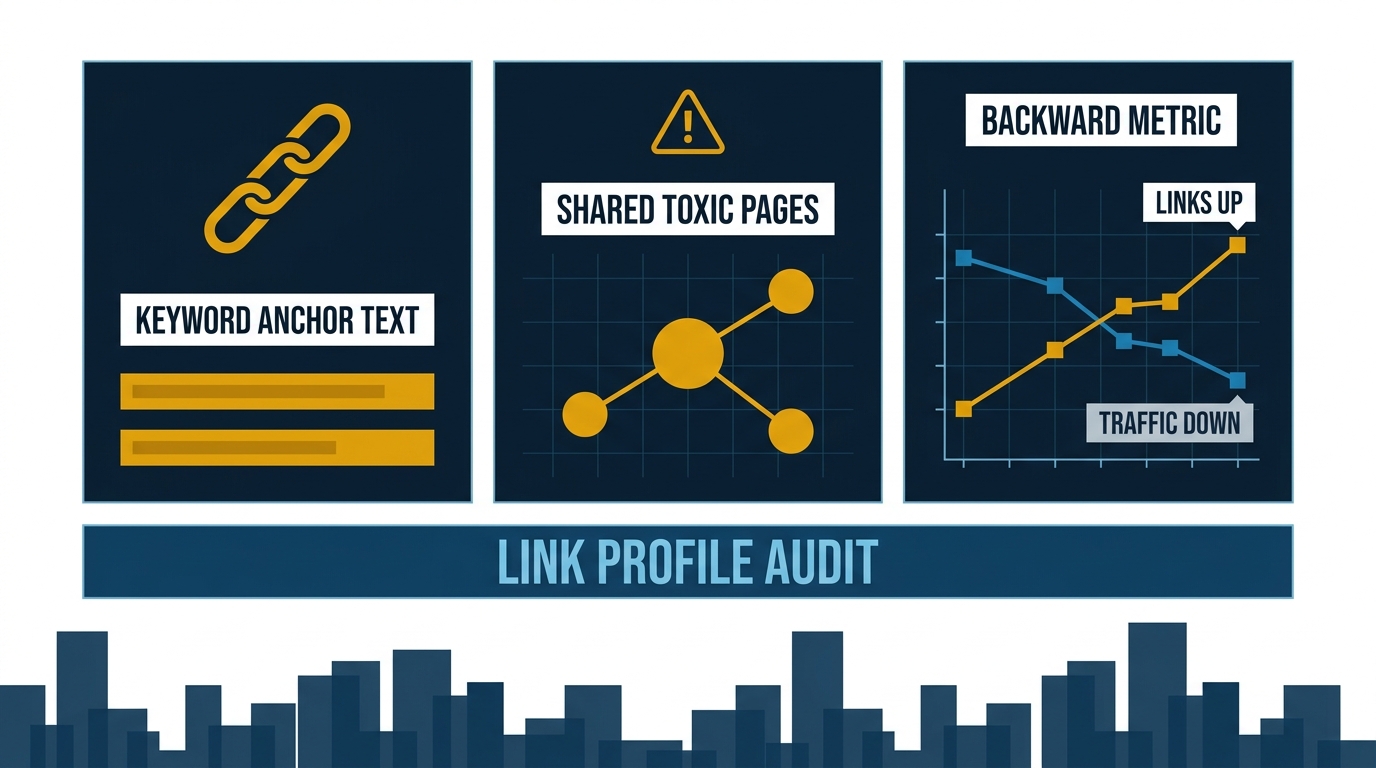
When Sterling Sky dug into the link profiles of sites hit by these updates, three patterns showed up repeatedly.
Keyword-rich anchor text. If an agency built links to your site using phrases like “best HVAC contractor Los Angeles” as the clickable text, those links are now liabilities. Google has gotten much sharper at catching exact-match anchor patterns, and the threshold for triggering a penalty has dropped significantly.
Guilt by association. If your site got a link from a page that also links to other spammy, over-optimized sites, Google reads the whole neighborhood. According to Sterling Sky’s findings, sites linked from the same toxic pages were tanking together—even if each site looked clean on its own.
Rising referring domains, falling traffic. This is the tell. If your link count went up over the past year while your traffic went down, Google has already flagged the pattern. More links should mean more traffic. When it doesn’t, the links are actively hurting you.
Check your backlink profile in Google Search Console under the Links report. Look for links you didn’t earn—directories you never submitted to, guest posts on sites you’ve never heard of, or anchor text that reads like a keyword list.
Your Recovery Checklist
Work through this in order. Don’t skip to the content stuff until the link issues are addressed—publishing new pages on a suppressed domain is like painting a house with a broken foundation.
1. Disavow toxic links. Export your backlinks from Search Console. Flag any link with exact-match keyword anchor text, any link from a site that exists only to sell links, and any link from a page that also points to obvious spam. Build a disavow file and submit it through Google’s Disavow Tool. This doesn’t fix things overnight—expect 2–3 months before you see movement.
2. Audit your content for thin pages. Google’s current standard for what counts as “good” content is higher than it was two years ago. Service pages with 200 words, no specifics, and no original perspective are now a liability. Every page on your site should answer a real question a customer would ask, with enough detail that a stranger could act on it. A roofing page for Pasadena should mention the specific permit process, the common tile types in that ZIP code, and what a realistic job costs—not three paragraphs of filler.
The Search Engine Journal’s AI-era content framework is useful here: every page needs to map to a specific business outcome (a booked call, a form fill) and address a real search intent. If a page doesn’t do both, it’s probably hurting your site-wide quality signals.
3. Add or fix structured data. Schema markup—the behind-the-scenes code that tells Google exactly what your business does, where it operates, and what customers say about it—is one of the signals Google uses to evaluate local relevance. At minimum, your site needs LocalBusiness schema with your correct NAP (name, address, phone), your service area, and your hours. If you have reviews on-site, add AggregateRating schema.
4. Lock down your GBP while your site recovers. Since the map pack is immune to site-wide classifiers, this is where your leads come from during the recovery window. Make sure every service is listed, your hours are current, your photos are recent, and you’re posting at least once a week. Review velocity matters—see the data below.
What the Map Pack Data Tells You About Surviving This
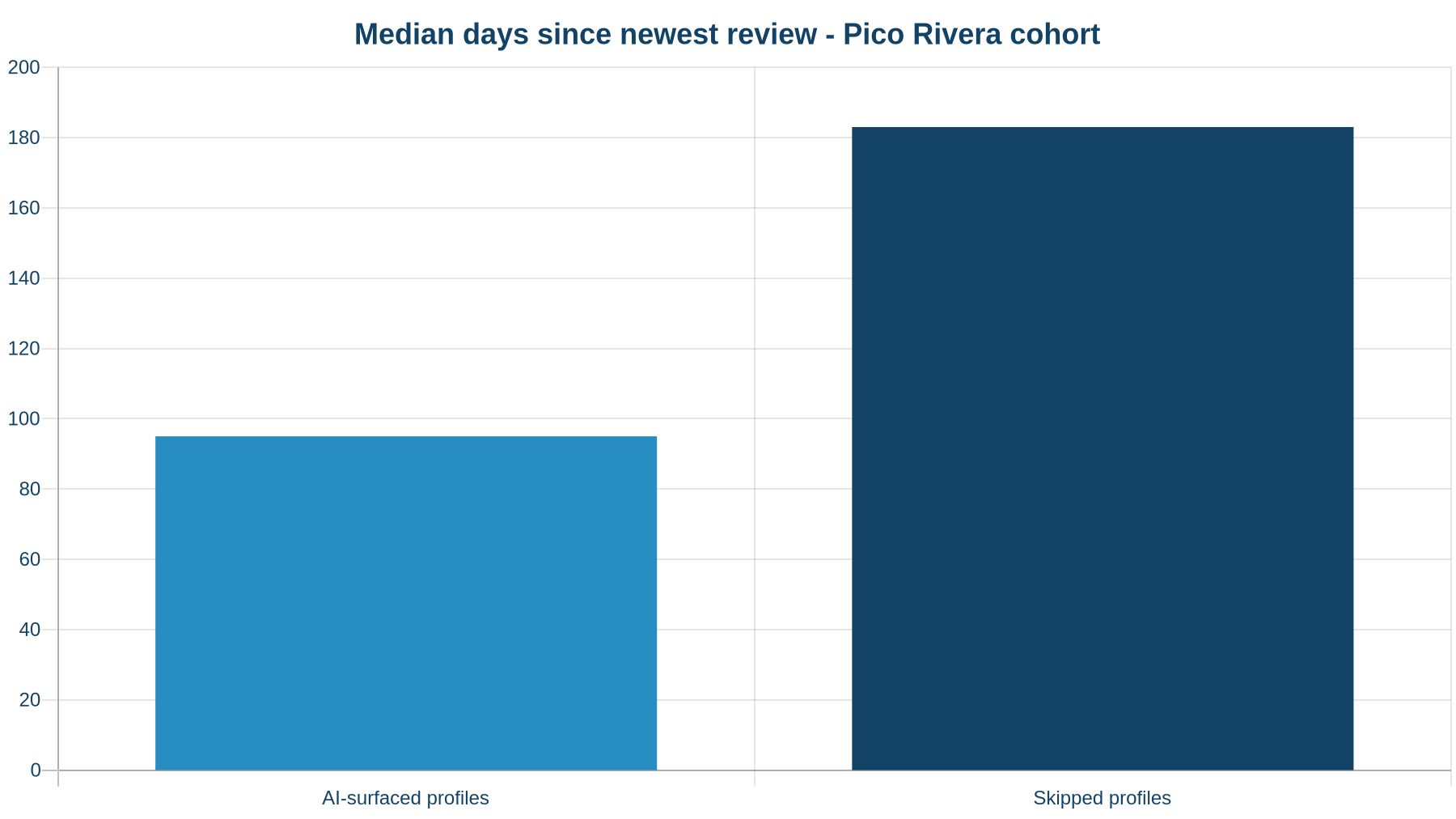
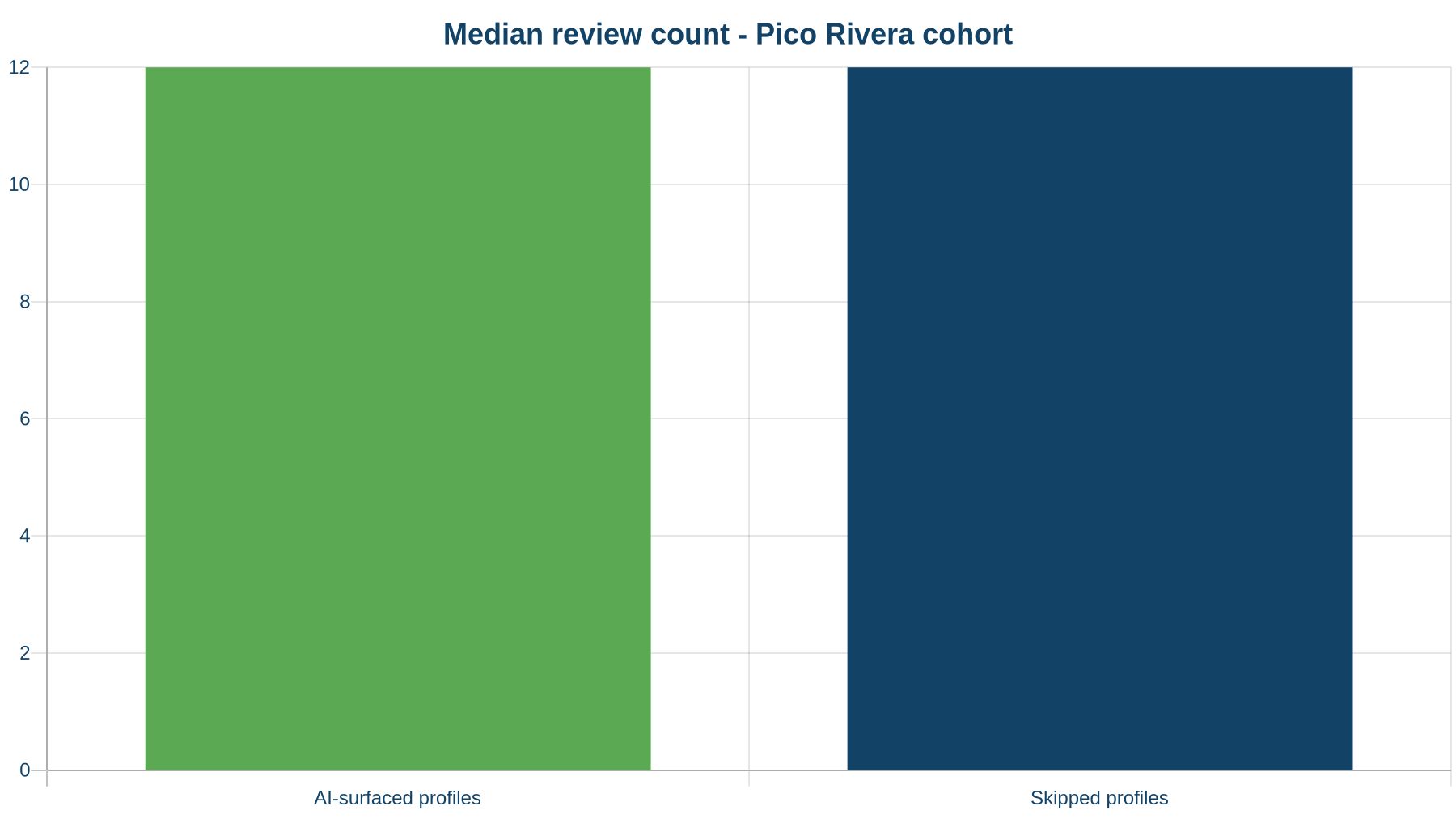
We asked Google’s Maps-grounded AI for a house painter in Pico Rivera and audited the 12 profiles competing for that search. Only 1 of those 12 was surfaced by the AI. Here’s what separated it from the 11 that were skipped.
Profile A (surfaced) had 12 reviews with the newest posted 95 days ago. Profile B (skipped) had 43 reviews—more than three times as many—but the newest was 183 days old. Profile B lost to Profile A on recency alone.
The median newest-review age for the surfaced profile was 95 days. For skipped profiles, it was 183 days. Review count was identical at the median (12 each). The signal that mattered wasn’t volume—it was how recently customers were talking about you.
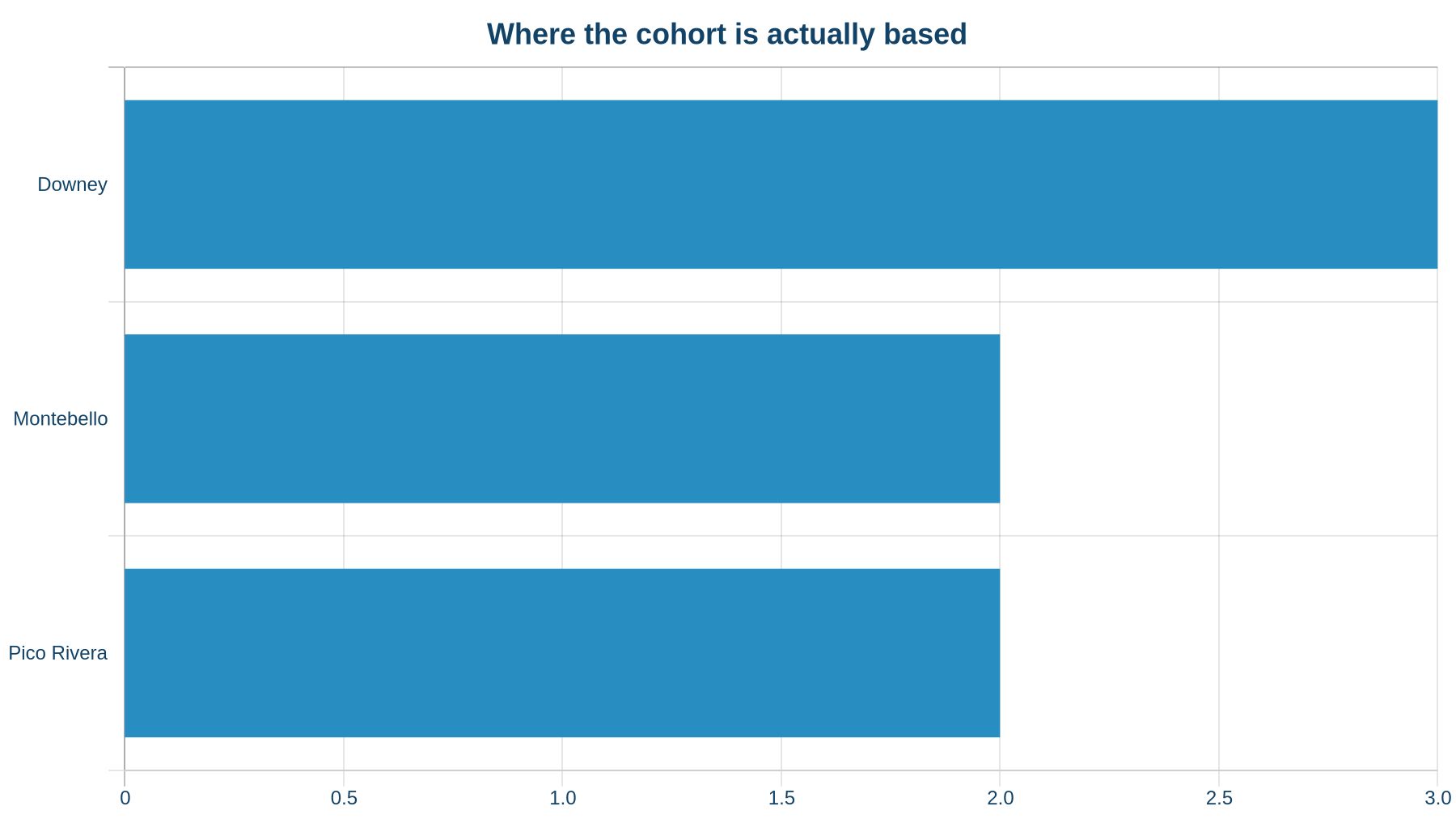
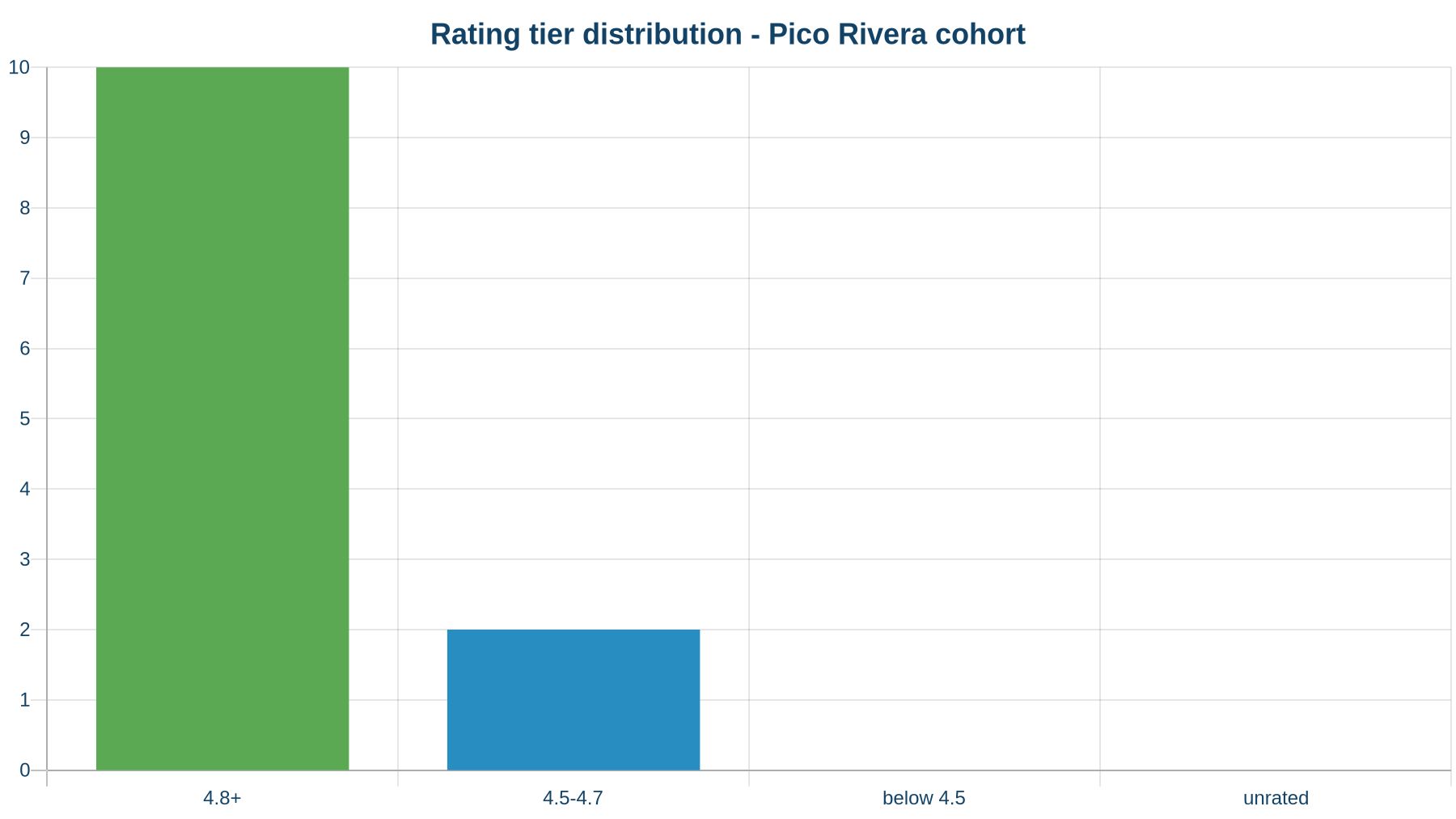
Of the 12 profiles in the cohort, only 2 were physically based in Pico Rivera. The top host cities were Downey (3 profiles), Montebello (2), and Pico Rivera (2). Ten of 12 profiles had ratings of 4.8 or above. Nobody in this cohort was getting away with a 4.3. The floor has moved.
The lesson: a 90-day review gap is enough to get passed over, even if you have more reviews than the business that beats you. If your last review came in before summer, that’s your Monday morning task.
If you want to see exactly where your profile stands against the current map-pack leaders in your city, run it through our free Map Pack Grader—it scores your GBP against the winners on reviews, rating, photos, and the specific gaps holding you back.
The Mistake to Avoid During Recovery
Don’t publish a flood of new content hoping to dilute the damage. A suppressed domain doesn’t recover faster because you added 20 blog posts. Google needs to see the underlying quality signals improve—link profile, page depth, structured data—before it lifts the classifier.
The businesses that recover fastest from core updates are the ones that fix the actual problems Google flagged, not the ones that bury the problems under new content. Be systematic. Be patient. And keep your GBP working hard while your website climbs back.
Our Local SEO service covers the full recovery stack—link profile cleanup, structured data, content audits, GBP optimization, and monthly tracking so you can see the needle move. If you’d rather start with a clear picture of where you stand, our free local SEO audit shows your map-pack position, GBP gaps, and how your reviews compare to competitors. The report lands in five to ten minutes.
The one thing to do this week: pull your Search Console data the right way, filter out branded traffic, and find out exactly when your traffic dropped. That date tells you which update hit you—and that tells you where to look first.