

TL;DR
Google removed the Business Profile Q&A section — what answers customer questions now?
Google's AI answers for you, composing from your website copy, profile details, and — the part most owners skip — your review responses. If those sources are thin, it guesses. Keep hours, services, and service area exact, and respond to reviews in detail: you're writing the AI's script, not just replying to one customer.
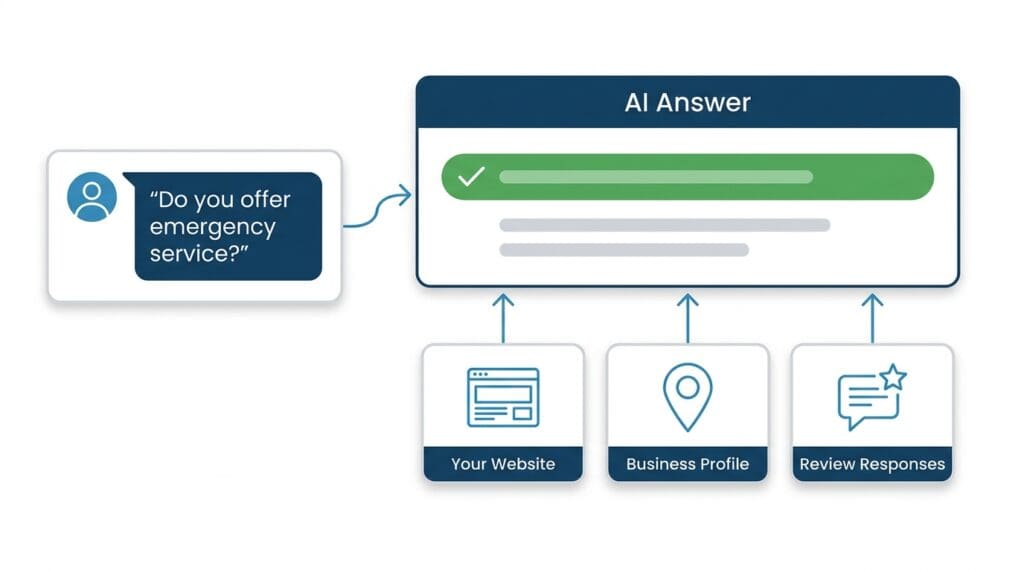
Someone searches “plumber Alhambra” at 9pm because their water heater is leaking. They see your Google Business Profile. They don’t click yet. They ask Google’s AI a question first — “do you offer emergency service?” — and Google answers for you.
If the answer isn’t anywhere Google can find it, they move on.
If Google’s AI comes back with “yes — 24/7 emergency service, call anytime,” pulled from your website or your review responses — they call you.
Here’s the part most owners missed: Google removed the public Q&A section from Business Profiles — the API shut down on November 3, 2025, and the section has been disappearing from profiles since. Customers didn’t stop asking questions. Google just answers them differently now: its AI reads your website, your profile details, and your review responses, and builds the answer itself. You don’t get to type the answer into a box anymore. You have to put it where the AI reads.
What’s actually happening in the Alhambra plumber market right now
We pulled a cohort of 14 plumber profiles competing for Alhambra searches. Here’s what the data shows.
Only 6 of those 14 profiles are actually based in Alhambra. The rest are operating out of Monterey Park, Los Angeles, and other neighboring cities. That matters because proximity is a real ranking factor — Google weighs where your business is physically located when it decides who shows up for a search in a specific city.
So if you’re one of those 6 Alhambra-based plumbers, you have a structural advantage. The question is whether you’re using it.
The density math matters too. Within five kilometers of Alhambra, this cohort works out to just 0.18 plumber profiles per square kilometer — this is not a saturated downtown-LA market. And when Google’s AI answers “best-rated plumber in Alhambra,” it surfaces only 5 of the 14. There are open seats, and they go to the profiles sending the strongest signals.
Of the 14 profiles in this cohort, 9 have a 4.8-star rating or higher. One sits in the 4.5–4.7 range. Three are below 4.5. One has no rating at all. That top tier is crowded — a high star rating alone won’t separate you anymore.
What does separate you: review velocity and engagement signals. The profiles Google’s AI surfaced for “best-rated plumber in Alhambra” had a median newest-review age of 32 days. The ones it skipped? 179 days since their last review. That’s nearly six months of silence.
Profile A — surfaced, based in Monterey Park, 63 reviews, newest review 32 days old — beat out Profile B, based in San Gabriel, 12 reviews, last review 227 days ago. Profile A won despite not even being in Alhambra. Recency and volume overrode proximity.
That’s the game. And the same signals — fresh reviews, complete details, real responses — are exactly what Google’s AI reads when it answers questions about you.
What replaced the Q&A section (and why it answers before your website does)
For eight years, Google Business Profiles had a public Q&A section — anyone could post a question, and anyone could answer, including you. Google discontinued it. The Q&A API shut down on November 3, 2025, and the section has been vanishing from profiles ever since. If you’ve looked for it on your own profile lately and come up empty, that’s why.
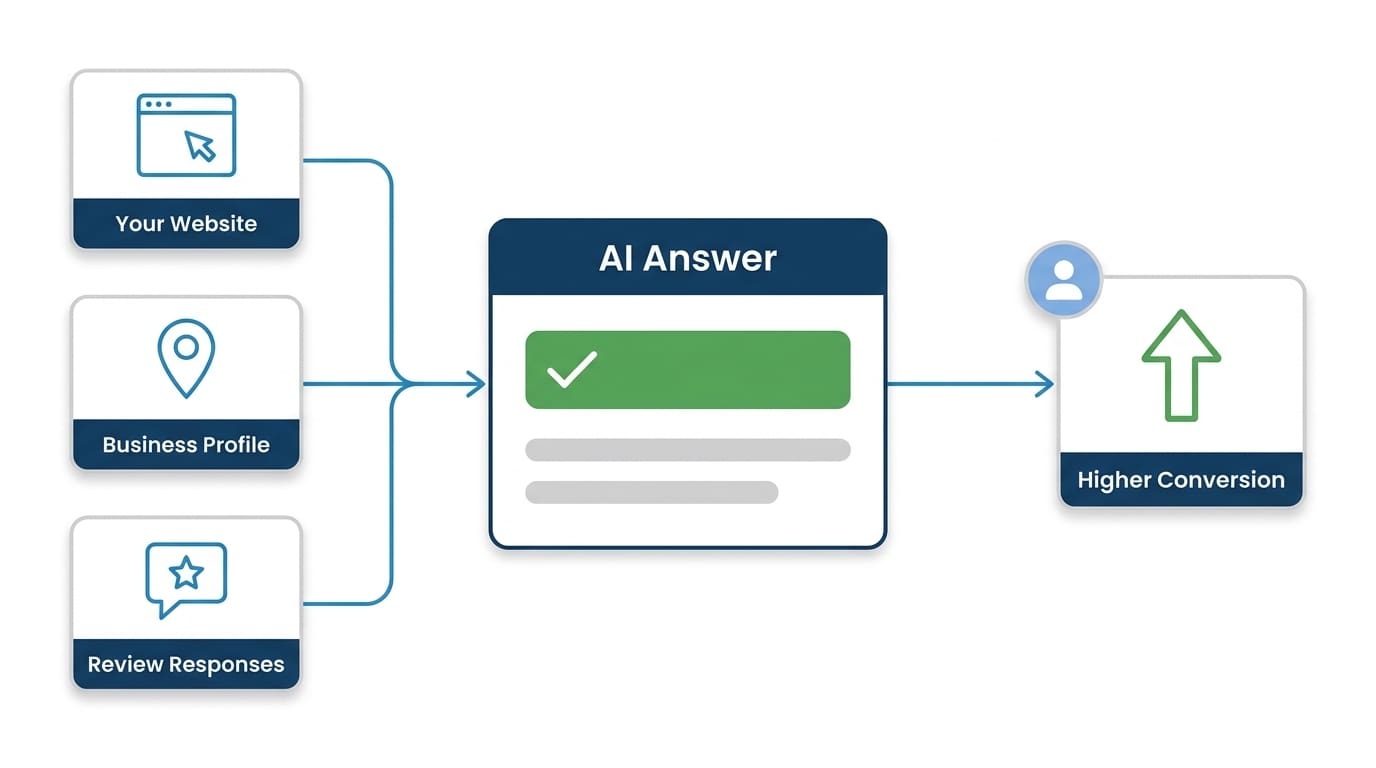
What’s there instead is Google’s AI. Ask Maps — powered by Gemini — lets a customer ask a question about your business and get an answer assembled on the spot. Google builds that answer from the sources it can read: your website, your Business Profile details (services, attributes, hours, business description), your reviews — and the responses you write to them.
That changes the job. You used to be able to seed the Q&A box with your own questions and answers. Now the answer has to already exist somewhere Google looks.
The questions haven’t changed. For plumbers, the ones customers ask most:
- “Do you offer emergency service?” — the exact 9pm water-heater scenario this post opened with. If the answer isn’t written somewhere Google can read, that caller has no way to know.
- “Do you work weekends?”
- “Do you handle water heater replacements?”
- “What areas do you serve?” — the highest-stakes one in this market: 8 of the 14 profiles competing for Alhambra searches are based in Monterey Park, Los Angeles, or other neighboring cities. A precise service-area answer is how an Alhambra shop defends its home turf.
- “Do you give free estimates?”
If those answers aren’t written down anywhere — on your site, in your services list, in your business description — Google’s AI has nothing of yours to work with. It answers anyway, from whatever else it can find: a directory listing, a competitor comparison, a review from 2022.
Google’s own published numbers say customers are 50% more likely to consider purchasing from a business with a complete profile. Completeness used to be about looking legitimate to humans. Now it’s also the raw material the AI answers with.
What to do this week: Write down the five answers above and publish them twice — once as a short FAQ on your website, and once across your Business Profile: services with real descriptions, the business description field, attributes like 24/7 emergency service, accurate hours. That’s the modern version of seeding the Q&A box, and it takes about an hour.
Review responses: the part almost everyone skips
Getting reviews is hard. Responding to them takes three minutes and almost no one does it consistently.
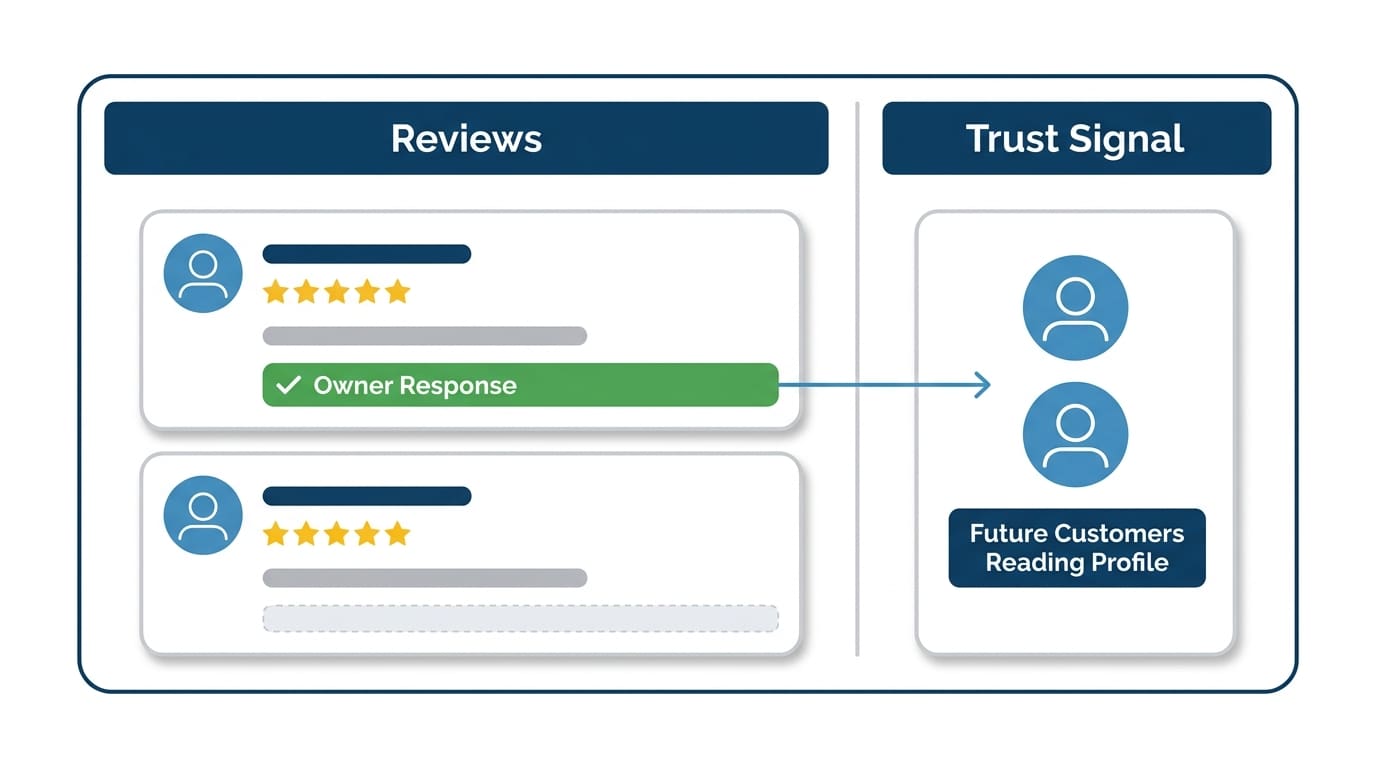
That’s a problem, because a response to a review is visible to every future customer who reads that review. It’s not a private message. It’s a public signal about how you run your business.
It’s also feed for the AI. When Google assembles an answer about your business, your review responses are one of the sources it reads — your own words, in public, attached to real jobs.
When someone in Alhambra reads a 5-star review that says “fast and professional” and your response is “Thank you, Maria! We’re glad we could get your kitchen drain cleared same-day — call us anytime,” that response does three things:
- It confirms the job was real (specificity = credibility).
- It shows you’re attentive and professional.
- It adds keyword-relevant text to your profile without stuffing.
When someone reads a 3-star review and there’s no response, they assume the worst. When there’s a calm, professional response that acknowledges the issue and explains what happened, most readers give you the benefit of the doubt.
The velocity problem — and why it matters more than your star rating
Nine of the 14 plumbers in this Alhambra cohort are rated 4.8 stars or higher. A high rating is table stakes. Google isn’t surfacing the highest-rated profiles — it’s surfacing the ones with recent activity. A 4.9-star profile with its last review from six months ago loses to a 4.7-star profile that got a review three weeks ago.
The review-count medians make the gap concrete: the profiles Google surfaces have a median of 310 reviews. The ones it skips sit at 12.
Review responses don’t directly generate new reviews, but they do something important: they signal to Google that the profile is actively managed. Combined with a steady flow of new reviews, that activity pattern is what keeps you in the rotation instead of fading into the skipped pile.
The practical math: if you’re getting one or two reviews a month, you need to be responding to every single one. If you’re getting zero reviews a month, that’s the real problem — but responding to your existing ones is still the right move while you fix the pipeline.
How to respond to a negative review without making it worse
This is where most owners either freeze or overcorrect.
Don’t freeze. A negative review with no response looks like you don’t care or you don’t have a good answer.
Don’t go defensive. “This customer was unreasonable and we did nothing wrong” — even if true — reads badly to every future customer who sees it.
The formula that works:
- Acknowledge what happened without admitting fault where there isn’t any. “We’re sorry to hear the visit didn’t go as expected.”
- Be specific if you can. If the complaint is about scheduling, address scheduling. Don’t give a generic non-answer.
- Offer to resolve it offline. “Please call us directly at [number] and we’ll make it right.” This moves the conversation out of public view and shows future readers you’re willing to fix problems.
Keep it short. Three to five sentences. You’re not writing a legal brief — you’re showing future customers how you handle problems.
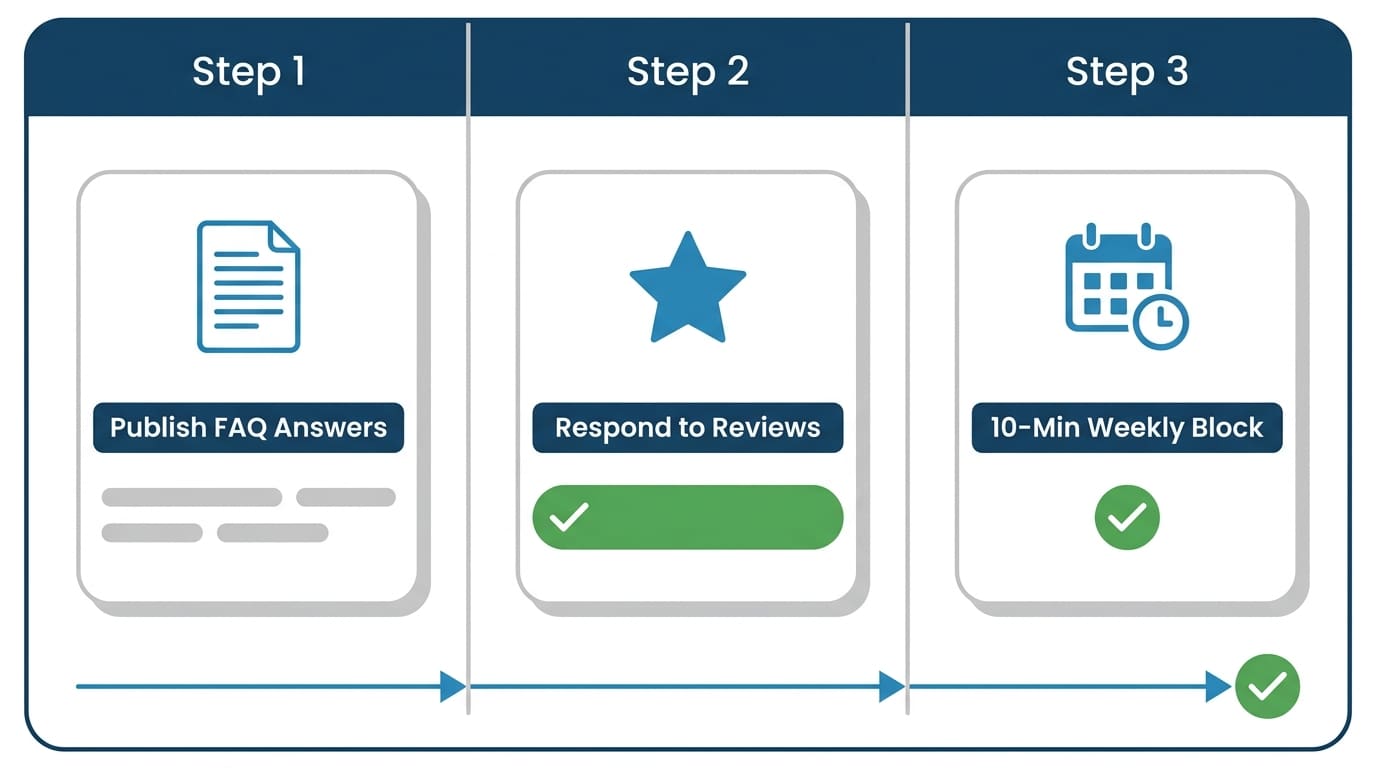
Three things to do before next Monday
1. Publish your five answers. Put the questions you hear most from new customers on your website as a short FAQ, and mirror them across your Business Profile — services with real descriptions, the business description field, attributes, accurate hours. “Yes, we offer emergency service 24 hours a day, 7 days a week” only helps if it’s written somewhere Google’s AI can read it.
2. Respond to every unresponded review. Open your GBP dashboard, filter for reviews without responses, and work through them. Even a short, specific response is better than silence. This is also part of what we look at in our Google Business Profile management work — it’s one of the fastest wins we find on almost every audit.
3. Set a weekly 10-minute block. Check for new reviews every Monday morning. Respond the same day. That cadence alone puts you ahead of most of the 14 profiles competing in this market.
How City Boost helps
We audit GBP profiles for plumbers and other home-service businesses across the San Gabriel Valley — unanswered reviews, missing service details, thin business descriptions, whether your site actually answers the questions Google’s AI gets asked about you, and the review velocity patterns that determine whether Google surfaces you or skips you. Our Google Business Profile management service handles the ongoing upkeep so this doesn’t fall through the cracks when your schedule gets busy. If you want to know where your profile stands against the other 13 plumbers competing for Alhambra searches, start there.