TL;DR
How do I stop my AI chatbot from making promises I can't keep?
Write a one-page ruleset before you turn the chatbot on. Define what it can commit to without checking, what requires a live confirmation, what it must never say, and when it routes to a human. That document—not the AI tool itself—is what keeps your reputation intact.
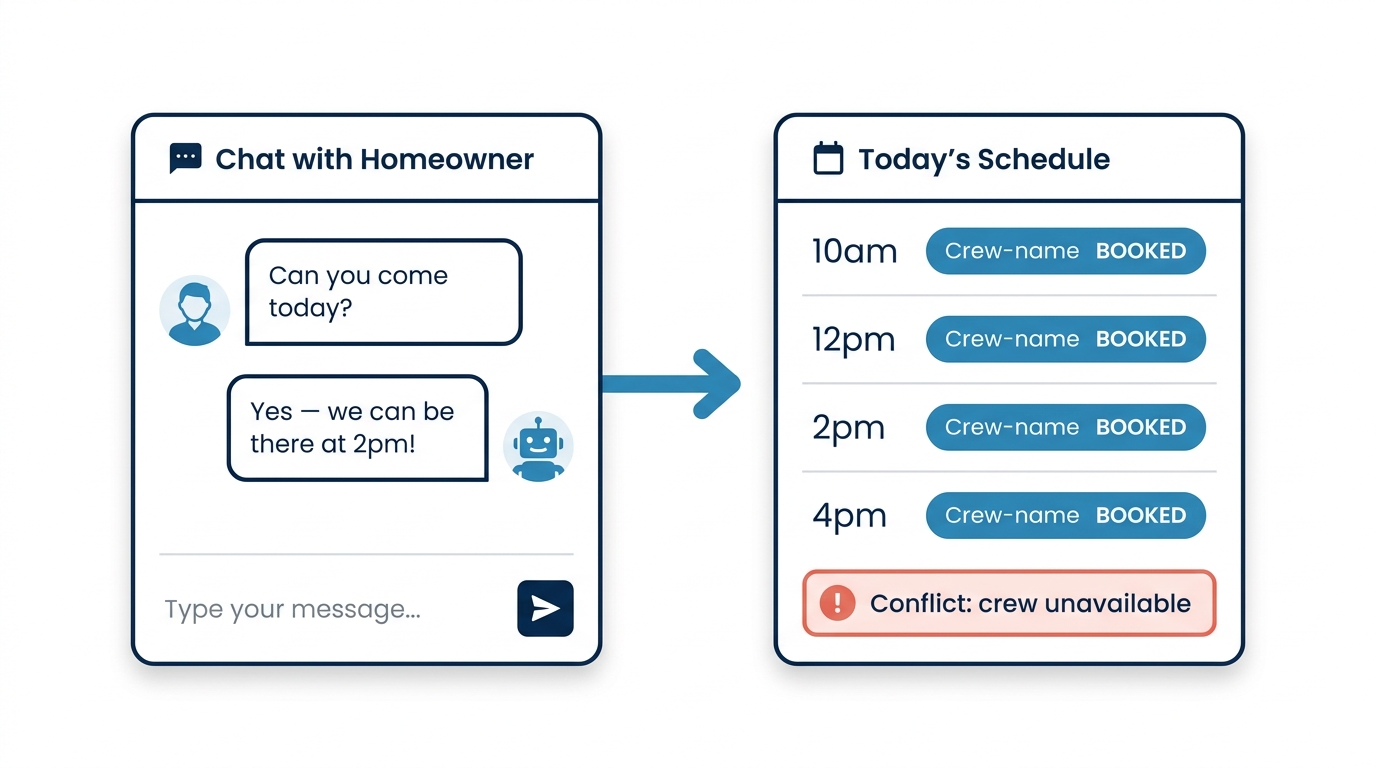
Your AI chatbot just told a homeowner in Glendale you can be there today at 2pm. Your crew is booked through Thursday. The homeowner took the afternoon off work. Now they’re furious, posting a one-star review, and calling the shop down the street.
That’s not a technology problem. It’s a guardrails problem — and it’s exactly what happens when you give AI a customer-facing role without any accountability built into the workflow.
AI tools can genuinely help an electrical contractor qualify leads, handle after-hours questions, and move jobs through the pipeline. But the moment an AI agent starts making commitments on your behalf — scheduling, pricing, availability — you need structured checkpoints, or the automation becomes a liability.
The Core Problem: AI Doesn’t Follow a Script
The appeal is obvious. A chatbot handles the 10pm inquiry while you’re off the clock. It asks the right questions, collects the address, figures out whether it’s a panel upgrade or a tripped breaker. That’s useful.
The problem is that AI language models don’t follow a script — they generate responses based on patterns. Developer Chris Reynolds made this point directly in a WP Tavern podcast on AI development guardrails: the shift from deterministic, step-by-step processes to AI-generated outputs creates results that can vary in ways you didn’t anticipate and didn’t authorize. Reynolds was talking about code — but the principle is identical for a chatbot talking to your customers.
For a developer, an unexpected output might mean buggy code. For an electrical contractor in Glendale, it means a chatbot that invents a service window you don’t have, quotes a ballpark price that’s 40% below your actual rate, or tells a caller you handle work your crew doesn’t do.
Glendale’s electrical contractor market is genuinely competitive. The top five contractors in the local map pack all carry 4.6 stars or higher with 80-plus reviews each. One chatbot conversation that ends in a broken promise doesn’t just lose a job — it often hands that job to one of the four other contractors a homeowner can reach in 30 seconds on Google.
The fix isn’t to avoid AI. The fix is to build structured accountability into the workflow before you turn the thing on. As Zapier’s AI governance guide frames it: governance isn’t about slowing automation down — it’s about making automation trustworthy enough to scale. A chatbot that occasionally makes a bad promise costs more in reputation damage than the time you save.
Write the Ruleset First — One Page Is Enough
Reynolds introduced the concept of a “project contract” for AI-assisted development: a structured set of rules built directly into the workflow that defines what the AI can and cannot do, what it must check before acting, and when it must hand off to a human. The same logic applies directly to a lead-management chatbot.
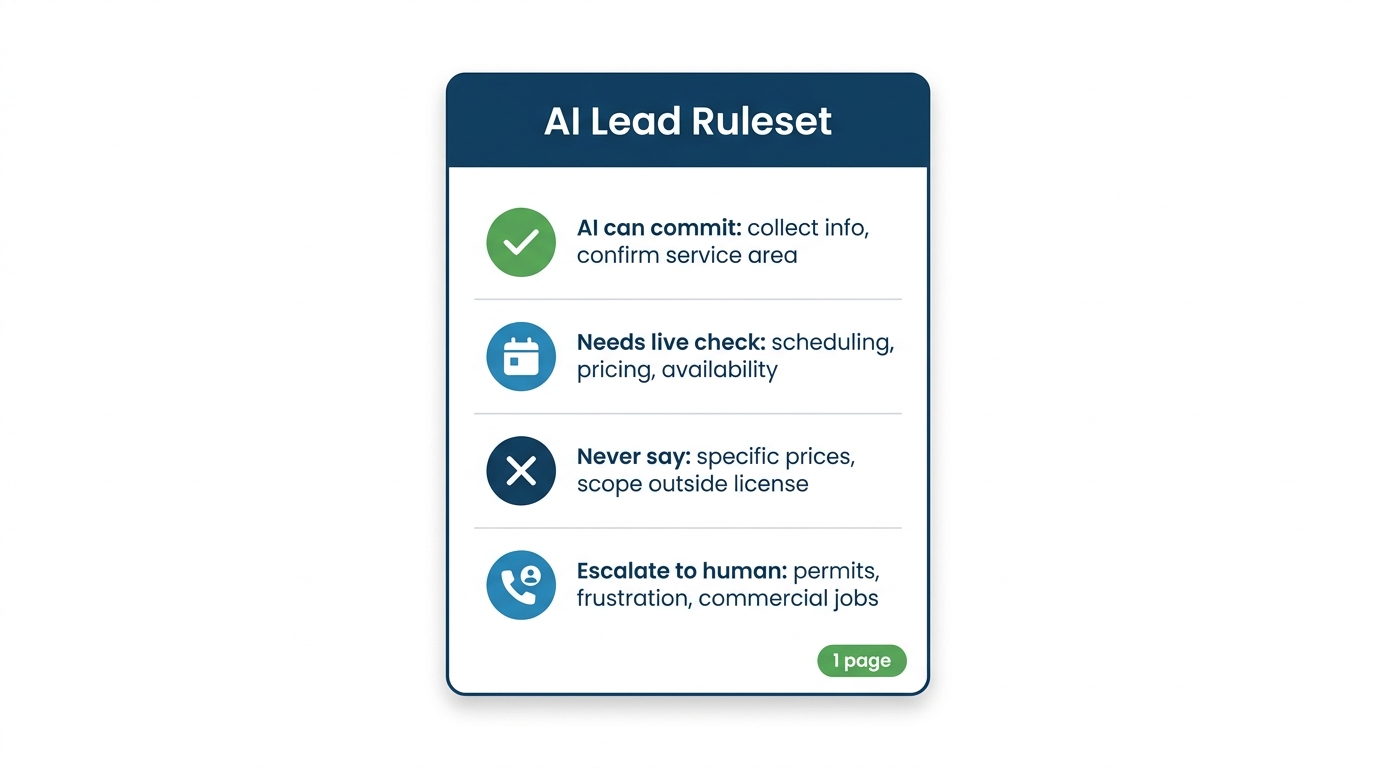
Before you deploy any AI agent on your website or your Google Business Profile messaging, write down the answers to four questions:
What can the AI commit to on its own?
Safe territory: collecting contact info, asking diagnostic questions, confirming your service area, explaining your general process. These are low-stakes, reversible, and don’t require real-time data.
What requires a live check before the AI responds?
Scheduling, availability, and pricing all require current information. If your AI can’t pull from your actual dispatch calendar, it should never say “we can be there today.” The correct answer is: “Let me have our team confirm availability and call you back within 30 minutes.” That’s not a cop-out — it’s accurate, and customers respect it.
What should the AI never say under any circumstances?
Specific prices (unless you’ve built in a live pricing engine), licensing claims for work outside your scope, guarantees about code compliance outcomes, or anything that sounds like a legal commitment. Write these out explicitly. Don’t assume the AI will infer them.
When does the conversation route to a human?
Define the trigger conditions: permit questions, commercial jobs over a certain dollar threshold, any mention of insurance claims, any customer who expresses frustration. Make the handoff automatic, not optional.
This ruleset doesn’t need to be long. One page. Give it to whoever sets up your automation — for our clients that’s the AI receptionist inside our lead management and automation service, where the rules live in the workflow instead of in someone’s memory — and make sure it’s baked into the system prompt or workflow logic before the first customer message goes through.
The Reviewer Checkpoint: Your Second Set of Eyes
Zapier’s AI governance guide describes the reviewer checkpoint — a second layer (human or automated) that evaluates what the AI produced before it goes out. This is one of the most practical concepts in the governance conversation, and almost no contractor is using it.
In a lead workflow, this looks like a simple approval step: the chatbot drafts a response, but before it sends anything involving scheduling or pricing, it flags the message for a 60-second human review. Your office manager or dispatcher sees it in a queue, approves or edits it, and it sends.
Yes, this adds a step. But it’s the same logic you already apply to your physical work: you don’t let an apprentice sign off on a panel replacement without a licensed electrician reviewing it. The AI is the apprentice. You’re the licensed electrician.
For most electrical contractors, the practical version is simple: route any AI-generated message that includes a time, a price, or a permit reference to a human before it sends. Everything else can go out automatically. That split — automatic for low-stakes, reviewed for high-stakes — is where you get the efficiency without the exposure.
Licensing and Compliance Are Not Edge Cases
This is where contractors get into real trouble. An AI chatbot doesn’t know your license number, your bond status, your workers’ comp coverage, or whether a specific type of work in Glendale requires a city permit pulled in advance.
A homeowner asks: “Can you do the electrical work for my ADU?” A poorly configured chatbot says yes. In Glendale specifically, ADU electrical work requires permits pulled through the City’s Building & Safety Division, with inspections required at rough-in and final — steps that can’t be skipped or assumed. Your crew shows up and the job requires permits your team hasn’t pulled, or scope you don’t handle. Now you’ve got an angry customer and a potential licensing complaint.
The rule here is blunt: your AI should never answer scope or compliance questions with a yes. The answer is always a version of “let me have a licensed electrician on our team confirm that for you.” Build that into the ruleset as a hard rule, not a suggestion.
Auditing: The Part Everyone Skips
Setting up the guardrails is step one. Checking whether they’re holding is step two — and most contractors never do it.
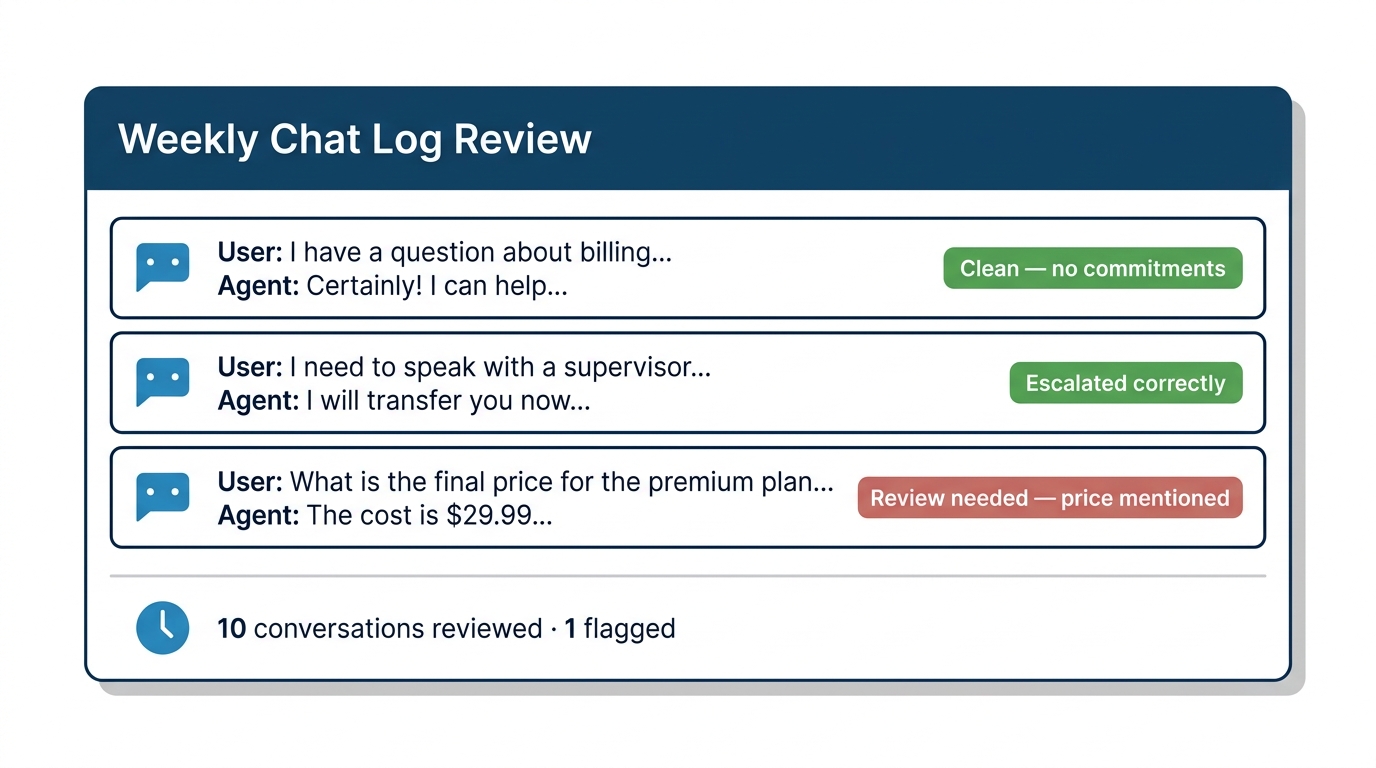
Once a week, pull 10 to 15 conversation logs from your chatbot. Read them like a customer would. Ask yourself:
- Did the AI make any commitment I can’t keep?
- Did it answer a question it shouldn’t have answered?
- Did any customer seem confused or frustrated by a response?
- Did any conversation that should have escalated to a human not escalate?
This takes 20 minutes. It will catch problems before they become reviews. It will also show you where the AI is actually performing well — which matters, because the goal is to expand what the AI handles over time, not to keep it permanently constrained.
Reynolds made a similar point about AI in development contexts: the value of automated reviewer agents and pre-commit checks isn’t to slow things down, it’s to build confidence that lets you move faster over time. Same principle applies here. Every clean week of logs is evidence that you can let the AI handle a bit more.
One Thing to Do This Week
Before you add any AI tool to your lead workflow, write down the four questions above — what it can commit to, what needs a live check, what it can never say, and when it escalates.
That document doesn’t need to be long. One page is enough.
In a market like Glendale, where dozens of electrical contractors are competing for the same panel-upgrade and EV-charger-installation searches, a chatbot that burns a lead with a bad promise is handing that job to the shop down the street — one that probably has more reviews than you and is already ranking above you in the map pack. You can’t afford the slip.
Without that one-page ruleset, you’re not running an AI assistant. You’re running an unsupervised employee who doesn’t know your schedule, your license scope, or your rates — and is talking to your customers right now.
Our lead management and automation service is built around exactly this kind of structured deployment — not just turning on a chatbot, but building the accountability layer that makes it safe to run at volume.