
AI Agents for Lead Routing and Follow-Up: Hype vs. Real Automation
Most "AI agents" sold to trade shops are just chatbots with a fancier name. Here's what real lead routing automation actually does — and how SGV plumbers and electricians can stop losing 9 PM jobs to a slow response.
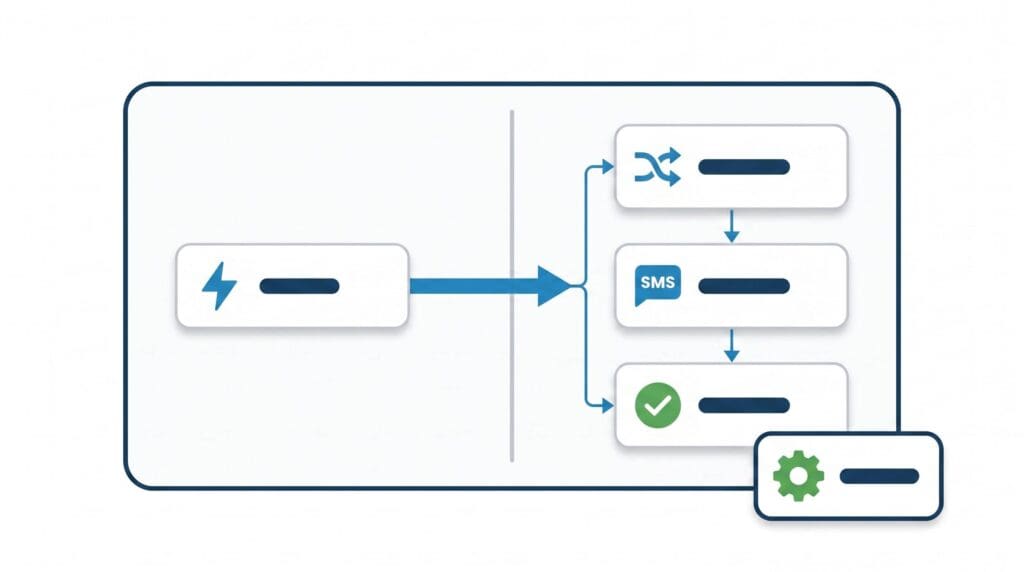
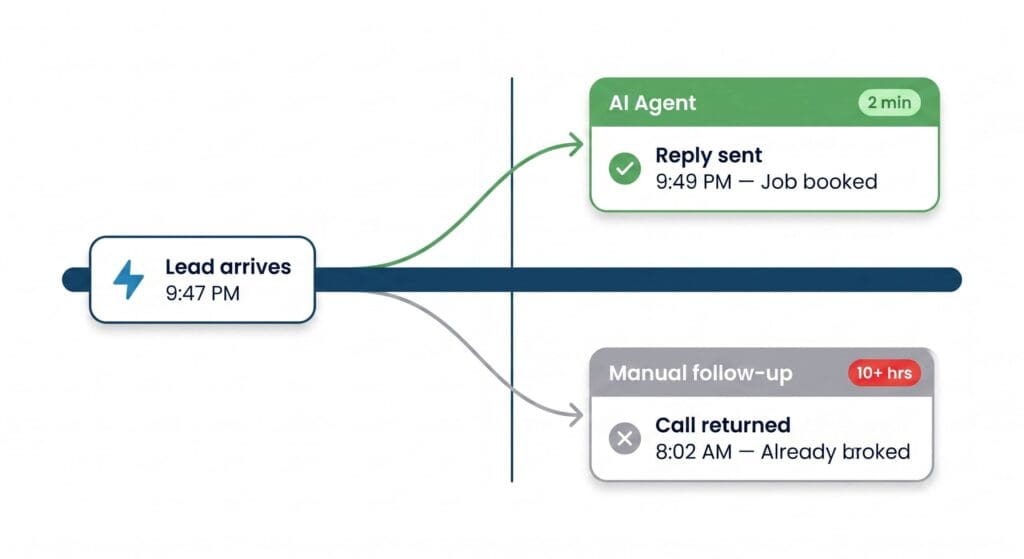
You get a form fill at 9:47 PM from someone in Arcadia whose water heater just died. By the time you see it tomorrow morning, they’ve already booked the guy who texted them back within five minutes.
That’s not a ranking problem. That’s a response problem — and it’s exactly the gap that real lead automation is supposed to close.
The word “AI agent” is everywhere right now. Every software vendor selling to the trades has slapped it on their marketing. Most of what they’re selling isn’t an agent. It’s a chatbot with a fancier name.
Here’s how to tell the difference — and what the real thing actually does for an HVAC, plumbing, or electrical shop running jobs across the San Gabriel Valley.
What an "AI agent" actually means (and why most tools aren't one)
A true AI agent does three things a basic chatbot can’t:
- It takes action — not just responds.
- It makes decisions based on context, not just keyword matching.
- It loops back — it checks whether the action worked and does something different if it didn’t.
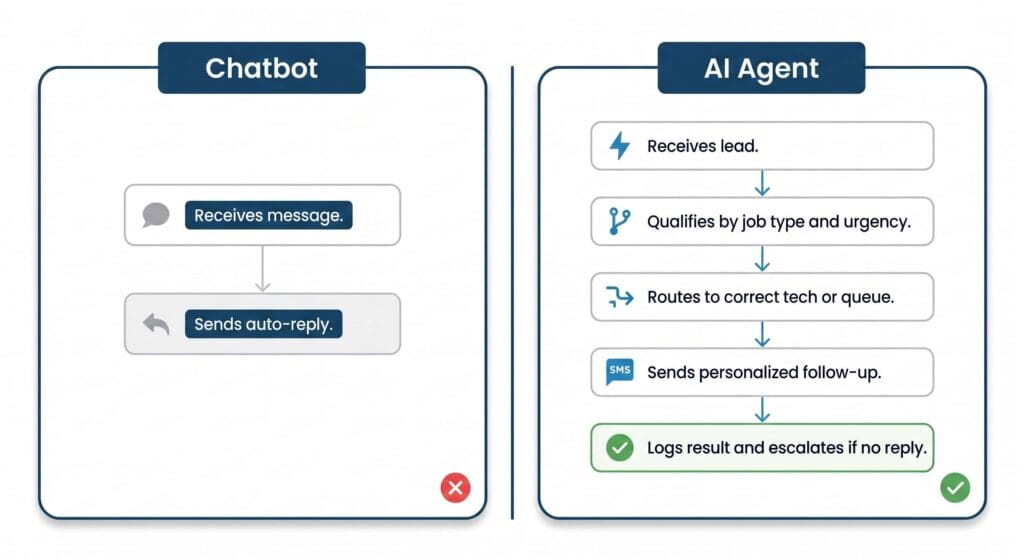
A chatbot answers questions. An agent routes, schedules, logs, follows up, and escalates — on its own, without you touching it.
Most of what’s marketed to home-service businesses right now is a chatbot sitting on your website that says “Thanks for reaching out! We’ll be in touch soon.” That’s not automation. That’s a digital answering machine.
The myth: "We set up an AI agent for your business"
Agencies love this line. What they usually mean is one of the following:
- They connected a ChatGPT widget to your website contact form.
- They set up a Zapier workflow that fires a single text when a form is submitted.
- They installed a HighLevel pipeline and called the automated SMS sequence an “agent.”
None of those are agents. They’re triggers. A trigger fires once and stops. An agent keeps going — it checks whether the lead responded, decides what to do next, adjusts based on what the lead said, and only hands off to you when it needs a human decision.
That distinction matters enormously for a plumbing or electrical shop in the SGV. You’re not fielding leads from a single clean source. You’re getting form fills from your website, calls routed through Google Business Profile, leads from Angi or Thumbtack, texts from past customers, and the occasional Nextdoor referral — all at the same time, some of them at 10 PM.
A trigger handles one source, one time. An agent handles all of them, continuously, and keeps a record.
What real lead routing automation looks like for a trade shop
Here’s a concrete picture of what a working system does — not theoretical, not enterprise-level, but practical for a shop running three to eight trucks in cities like El Monte, Covina, or Monrovia.
Step 1: Lead capture from every source into one place. Every inbound lead — web form, missed call, GBP message, Angi ping — lands in one CRM. HighLevel is the tool most trade shops in this market use. It’s not the only one, but it connects to enough sources to make step 2 possible.
Step 2: The agent qualifies the lead. Not a dropdown form. An AI-powered conversation — text or chat — that asks the right questions: What’s the issue? Is it an emergency? What city? What’s the property type? The agent reads the answers and assigns a priority and a job category.
Step 3: Routing based on the qualification. Emergency water leak in Baldwin Park at 8 PM? That goes to your on-call tech immediately — call, text, and a notification in the CRM. Non-urgent panel upgrade request in Glendora? That goes into tomorrow’s quote queue with a confirmation text to the customer.
Step 4: Follow-up if there’s no response. This is where most manual systems fall apart. If the customer doesn’t reply to the first text, the agent sends a second one. If they don’t reply to that, it flags the lead for a human to call. It doesn’t just stop.
Step 5: The CRM logs everything. Every touchpoint, every response, every outcome. You can see exactly where leads are dying — whether it’s at the first contact, the quote stage, or the booking step.
That’s a real agent workflow. You can build a version of it with Zapier + HighLevel + an AI step (OpenAI’s API or a native AI action in Zapier) without writing a line of code. It’s not magic, and it’s not cheap to set up properly — but it runs while you sleep.
The SGV-specific problem this solves
The San Gabriel Valley is dense with trade competition. In a single ZIP code in Alhambra or Rosemead, a homeowner searching for an electrician at 9 PM on a Tuesday has four or five options surfaced immediately — Google Business Profile results, a Local Service Ads listing, maybe a Nextdoor recommendation. They’re going to contact two or three of those options.
The one who responds first — not the cheapest, not the one with the most reviews, the one who responds first — wins the job the majority of the time.
If your response to a 9 PM lead is a human calling back at 8 AM the next morning, you’ve already lost. The customer booked someone else by 10 PM.
A real AI agent closes that gap. It responds in under two minutes, qualifies the lead, and either books a time slot or confirms an emergency dispatch — all without you touching your phone.
That’s not a feature. For a shop doing volume in the SGV, that’s the difference between a $400 service call and a no-show estimate slot the next morning.
Three questions to ask before buying any "AI agent" tool
Vendors will demo you a beautiful interface. Ask these three questions before you sign anything.
1. What happens if the lead doesn’t respond to the first message? If the answer is “the workflow ends,” it’s a trigger, not an agent. A real agent has a follow-up sequence and an escalation path.
2. Can it read what the lead wrote and make a decision — or does it just fire a template? Template = trigger. Decision based on content = agent. Ask them to show you what happens when someone texts back “it’s a gas leak, this is urgent” versus “just looking for a quote.”
3. Where does the data go, and can I see it? If the answer involves a dashboard you can’t access without their team, you don’t own the workflow. You’re renting it. When you stop paying, the automation stops. Build on platforms where you control the data — HighLevel, Zapier, Make — not black-box vendor systems.
The one thing that kills most automation setups
Bad data in, bad decisions out.
The most common failure mode isn’t the AI. It’s that the lead source feeds garbage into the system — a form with no service-type field, a missed-call log with no caller info, an Angi lead with no ZIP code. The agent can’t route what it can’t read.
Before you spend time building any automation, audit your lead sources. Every form, every call tracking number, every third-party lead feed. Make sure each one captures: name, phone, city, job type, and urgency level. That’s the minimum the agent needs to do anything useful.
If you’re pulling leads from Angi or Thumbtack, check what fields they pass through to your CRM. Some of them strip data. You may need a Zapier step to fill in the gaps before the AI sees the record.
What this is not
This is not a replacement for a good dispatcher or a strong office manager. For a shop doing serious volume — ten-plus trucks, multiple trade lines — you still need a human making judgment calls on complex situations.
What automation handles is the first five minutes of every lead interaction, the follow-up sequence when no one responds, and the CRM logging that nobody ever does consistently by hand. That frees your dispatcher to handle the calls that actually need a human — the angry customer, the complicated scope, the job that needs a senior tech.
The goal is not to remove people. It’s to stop losing jobs to a slow response while your team is busy on other calls.
We build and configure these workflows as part of our Lead Management and Automation work for trade shops across the SGV. If you want to see what a real setup looks like before committing to anything, that’s a conversation worth having.
Monday morning action: Pull up the last ten leads you received and check the timestamp on your first response. If any of them waited more than two hours — especially evening or weekend leads — you have a gap that automation can close. That’s your starting point.
How City Boost helps
We set up real lead routing and follow-up automation for home-service businesses in the San Gabriel Valley — not chatbot installs, but full workflows that qualify, route, follow up, and log every lead across every source. If your response time is costing you jobs, our Lead Management and Automation service is where we start. No black-box vendor lock-in — just a system you own and can see working.
Sources

// where we help
Build automation you actually own
Real lead routing beats a chatbot. Here's where we set it up for home-service shops.
Lead Management & Automation
Qualify, route, follow up, and log every lead across every source — automatically.
Industries We Serve
See how lead automation fits your specific trade.
Monterey Park
Lead systems for home-service businesses in Monterey Park and nearby cities.
// stay sharp
Keep Reading
All Posts →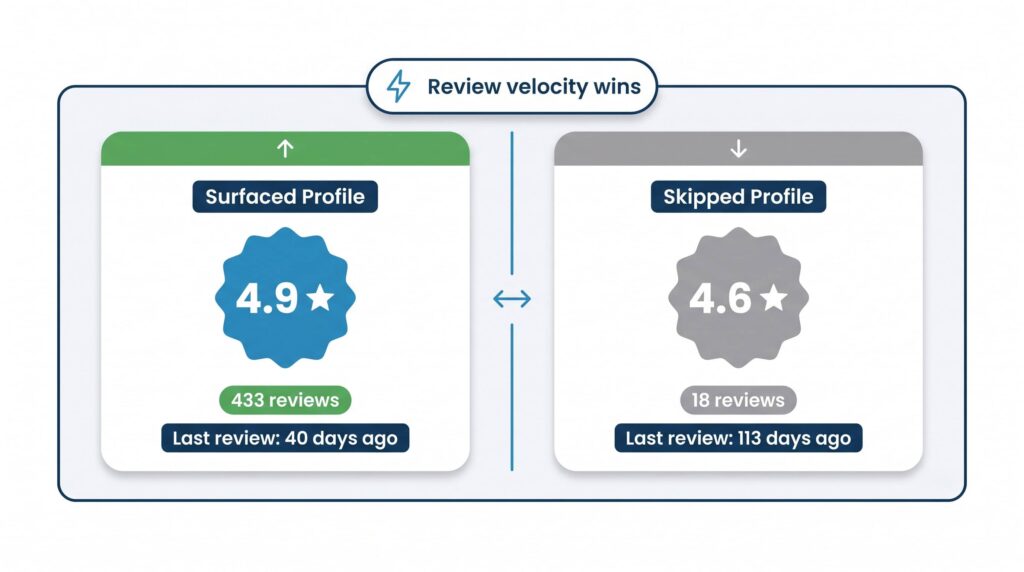

See where you rank today.
Get a free audit and we'll show you exactly where your business stands in the local map pack — and how to climb.