
Your Analytics Say Googlebot Visited. Here’s Why That Number Might Be Lying to You.
Over 80% of "AI assistant" traffic can be fake, and your Googlebot numbers may be just as inflated. If you're a Whittier contractor making SEO decisions based on unverified traffic data, you may be chasing phantom visits instead of real leads.
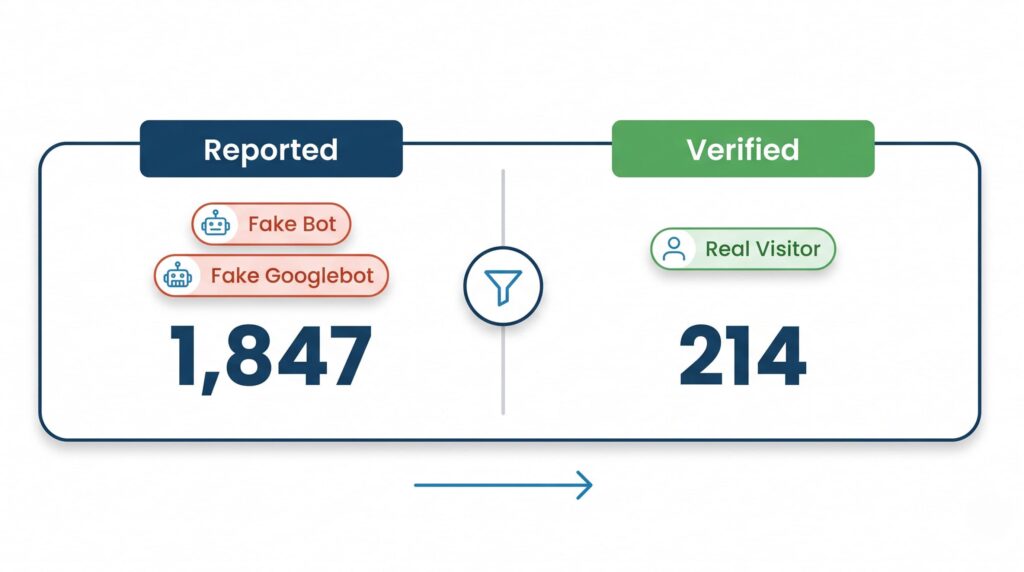
Your Google Search Console shows Googlebot crawling your site regularly. Your analytics dashboard shows a spike from “AI assistant” referrals. Feels like momentum, right?
Here’s what’s actually happening: a significant chunk of that traffic is fake. Not exaggerated — fake. One analysis of server log data found that over 80% of traffic labeled as “AI assistant” was fraudulent. The Googlebot numbers were described as even worse.
We saw this pattern in our own audit of Whittier contractor sites — and the performance data made it worse.
You’re not making decisions on data. You’re making decisions on noise.
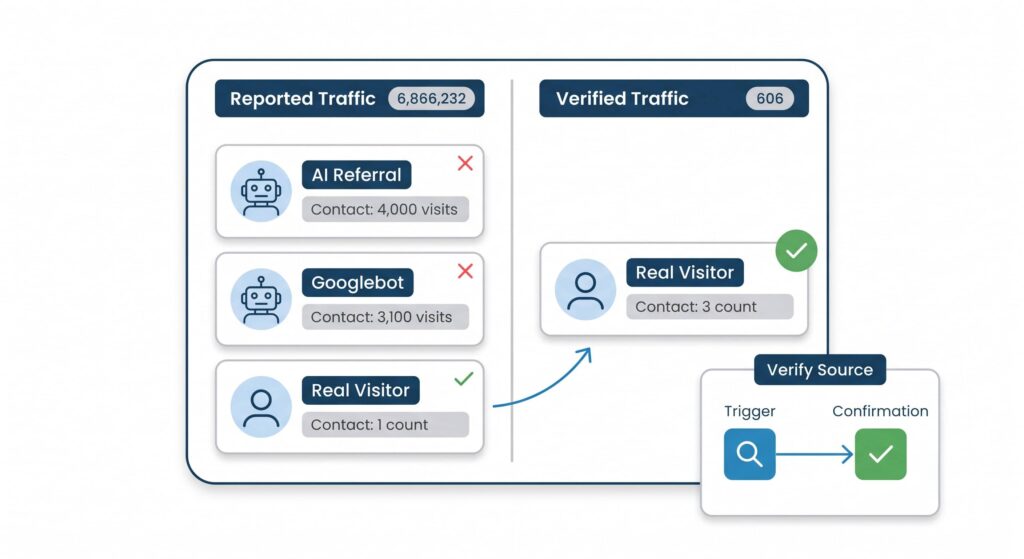
Why this matters more than you think
You’re a general contractor or electrician in Whittier. You’re not running a media company. You have maybe one website, one Google Business Profile (GBP), and a handful of people you trust to tell you whether your marketing is working.
When you look at your analytics and see traffic climbing, you probably assume things are going well. When traffic dips, you panic and call your web person. Both reactions are based on numbers that may have nothing to do with real humans finding your business.
Bot traffic — automated programs crawling your site — has always existed. What’s changed is the volume and the disguise. Bots now impersonate AI assistants, legitimate crawlers, and yes, Googlebot itself. They inflate your session counts, skew your bounce rate, and make your conversion rate look terrible even when real visitors are actually converting fine.
The practical damage: you make the wrong call. You kill a page that was actually working. You invest in a channel that was never real. You tell your crew “the website’s getting traffic” when what you mean is “bots are hitting the server.”
The Googlebot problem specifically
Googlebot is Google’s crawler — the program that reads your site and decides how to rank it. Seeing Googlebot in your logs sounds like good news. It means Google is paying attention.
Except: fake bots routinely impersonate Googlebot. They use the Googlebot user-agent string (the label a browser or crawler sends to identify itself) to avoid being blocked. The result is that your server logs show hundreds of “Googlebot” visits that Google never made.
The only way to verify a real Googlebot visit is a reverse DNS lookup — you take the IP address of the visit, look up what domain it resolves to, and confirm it ends in googlebot.com or google.com. If it doesn’t, it’s not Google. Full stop.
Your analytics tool doesn’t do this automatically. Neither does Google Search Console, for this specific purpose. This is manual work, or work done by a developer who knows what to look for.
What the Whittier contractor cohort actually looks like
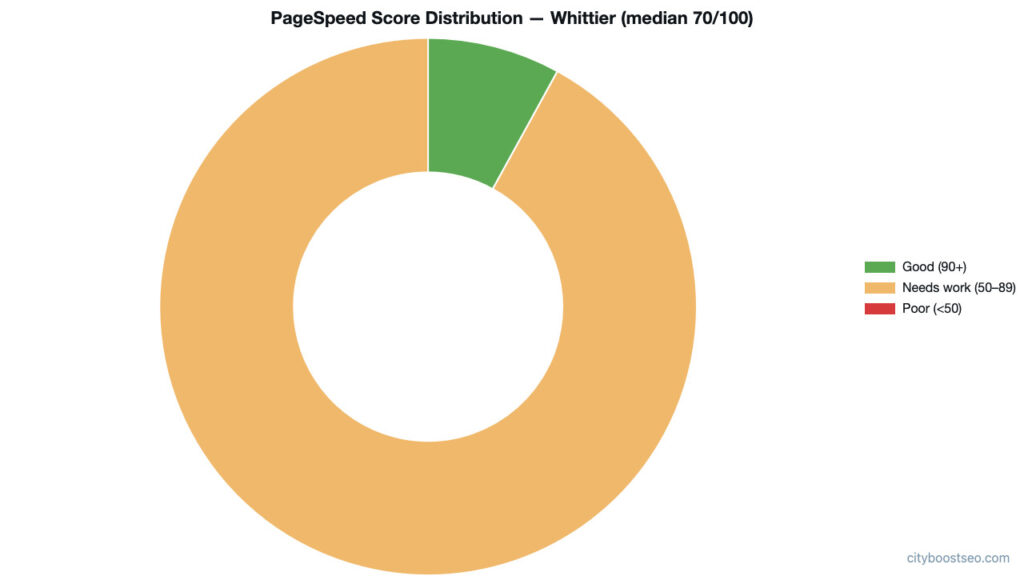
We pulled the top 16 GBP listings returned for General Contractor in Whittier and ran PageSpeed Insights on each linked website. Thirteen had working websites. Three failed to return any result at all — meaning Google’s own performance tool couldn’t load them.
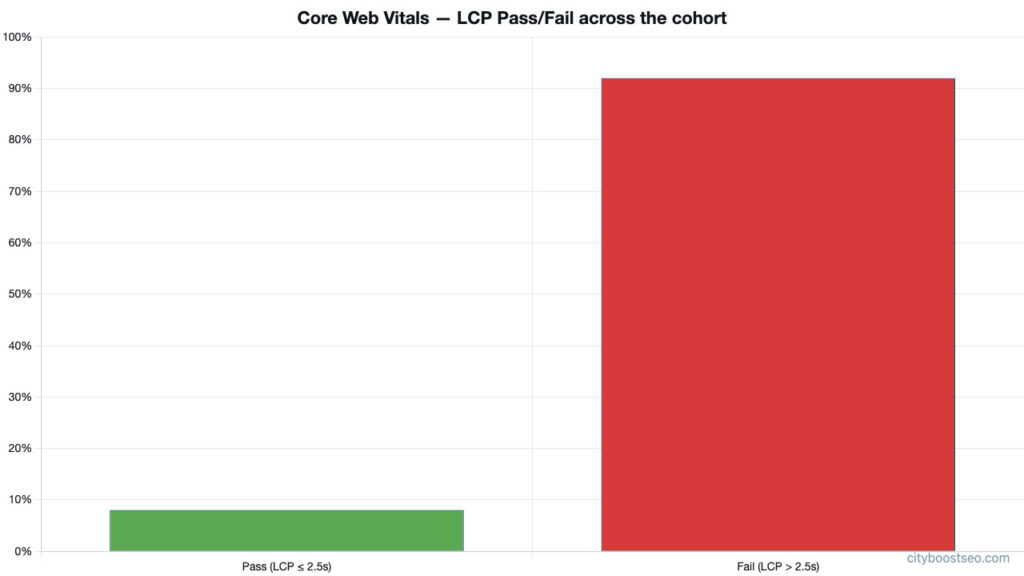
Of the 13 that loaded: the median mobile performance score was 70 out of 100. Not bad on its face. But 92% of those sites had an LCP — Largest Contentful Paint, the time until the page’s main content appears — above 2.5 seconds. That’s the Core Web Vitals failure threshold. Google considers anything above 2.5 seconds a problem for mobile users.
The median LCP was 5.8 seconds. On a phone. For someone searching “general contractor Whittier” while standing in a damaged kitchen.
The gap between the best and worst sites in this cohort was enormous. Profile A — based in Whittier — scored 100 out of 100 on performance, with an LCP of 1.2 seconds. Profile B — also based in Whittier — scored 52 out of 100, with an LCP of 12.7 seconds. Same city, same trade, same search results page. One site loads in a blink. The other makes a visitor wait over twelve seconds for the main content to appear.
Here’s why that connects directly to the bot-traffic problem: if your site is slow and your analytics show high traffic but zero calls, you might assume the traffic is bad. Sometimes the traffic IS bad — bots. But sometimes the traffic is real and your site is just hemorrhaging visitors before they ever see your phone number.
You can’t tell the difference without separating real human traffic from bot traffic first.
Three things you can actually check
You don’t need to become a developer. You need to stop flying blind.
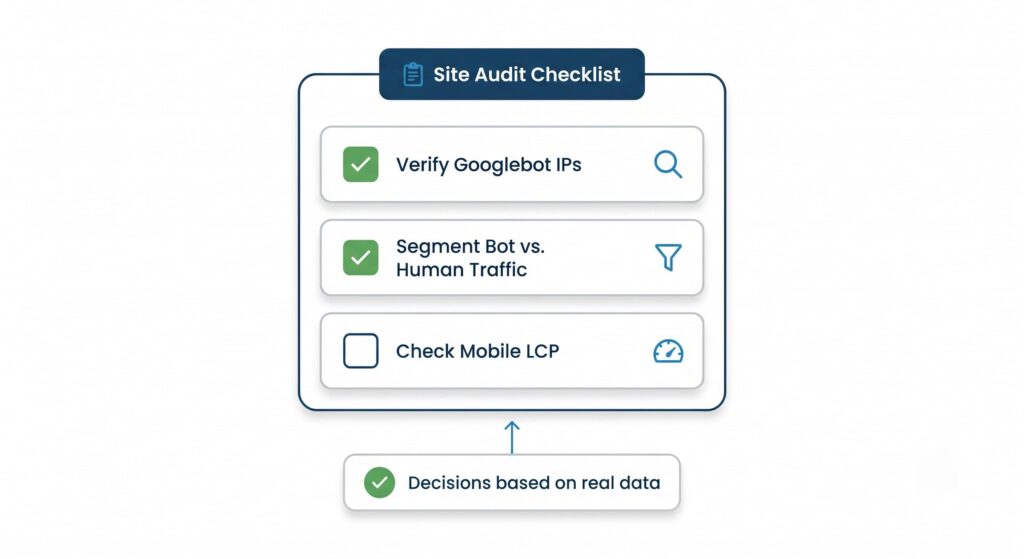
1. Pull your server logs, not just your analytics dashboard. Google Analytics and Search Console don’t show you raw bot traffic — they filter some of it, but not all, and the filtering isn’t perfect. Your hosting provider can give you raw access logs. A developer can parse those logs and flag visits where the IP address doesn’t match a legitimate crawler’s known IP ranges.
2. Verify Googlebot with reverse DNS. If you or your developer want to know whether a “Googlebot” visit was real, take the IP from the log entry and run it through a reverse DNS lookup. Google publishes the IP ranges its crawlers use. If the IP doesn’t resolve to googlebot.com or google.com, that visit was not Google.
3. Segment your analytics by traffic source and behavior. Real human visitors from Google Search behave differently from bots. They spend time on the page. They scroll. They sometimes call. Create a segment in Google Analytics that filters out known bot user agents and sessions with zero engagement. What’s left is a much more honest picture of who’s actually finding you.
None of this takes a full day. It takes a focused two-hour audit. But it changes what you’re optimizing for.
The real question to ask your web person
Most contractors we talk to in the SGV have no idea this is happening. They’re told their traffic is up. They feel good. They keep paying.
Ask whoever manages your site: “Can you show me verified human traffic, separate from bots, for the last 90 days? And can you show me what our real LCP is on mobile?”
If they can’t answer both questions in the same conversation, you have a visibility problem. You’re making decisions on numbers that haven’t been cleaned.
A 5.8-second median LCP across the Whittier general contractor market means most of your competitors have the same problem you do. Profile A — the one site in the cohort that loads in 1.2 seconds — is quietly eating the calls that everyone else is losing to impatience.
That gap is an opportunity. But only if you know it exists.
What to do Monday morning
Pull your last 90 days of traffic in Google Analytics. Filter to organic search only. Look at sessions versus conversions (calls, form fills, whatever you track as a lead). If your conversion rate looks impossibly low — like under 1% on mobile organic — you have one of two problems: bot traffic inflating the session count, or a slow site killing real visitors before they convert.
Either way, you now know where to look.
How City Boost helps
We run this exact audit — verified traffic, Core Web Vitals, mobile performance — as part of our Website Design and Development work for home-service businesses in the SGV. We show you what your real human traffic looks like, separated from the noise, and fix the site issues that are costing you calls. If you want to know where you actually stand, start there.
Source

Keep Reading
All Posts →

See where you rank today.
Get a free audit and we'll show you exactly where your business stands in the local map pack — and how to climb.